2
BOX CONTENTS
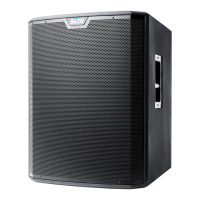
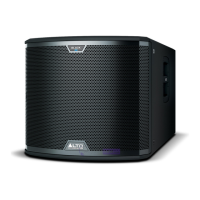
• TRUESONIC subwoofer
• Power cable
• Quickstart Guide
• Safety Instructions & Warranty Information Booklet
CONNECTION DIAGRAM
REAR PANEL OVERVIEW
1. POWER INPUT – Connect the included power cable to this
input and connect the other end of the cable to a power
source. Make sure the subwoofer's POWER SWITCH is set
to "off" when plugging and unplugging the cable.
2. POWER SWITCH – Turns the subwoofer on/off. Make sure
the VOLUME knob is set to "zero" before turning it on.
3. POWER LED – Illuminates when the subwoofer is on.
4. VOLUME – Turn this knob to adjust the subwoofer's volume.
5. INPUTS – Use standard XLR cables (not included) to
connect your sound source to these inputs. The
"LEFT/MONO" INPUT can accept either 1/4" TRS or XLR
connections. (When connecting a mono sound source, use
only the "LEFT/MONO" INPUT.)
6. OUTPUTS – Use standard XLR cables (not included) to
connect the subwoofer to the inputs of your speakers, which
can be active or passive.
7. LINK OUTPUT – Use standard XLR cables (not included) to
connect the subwoofer to the inputs of an additional amplifier
(optional).
8. SIGNAL LIMIT LED – Illuminates when the audio signal
being sent to the subwoofer is "clipping" or distorting. If this light illuminates frequently or steadily, reduce the volume of
your sound source.
9. GROUND SWITCH – Depressing this switch grounds the subwoofer, which can reduce hum or noise.
10. PHASE SWITCH – Depressing this switch reverses the polarity of the subwoofer's output signal. In some cases, this
can help reduce any interference in the frequency overlap between the subwoofer and main speaker.
11. BYPASS SWITCH – Depressing this switch activates the subwoofer's high-pass filter (80 Hz).
Note
Microphones, mixer, speakers, and
cables are not included.
Speaker* Speaker*
Microphones*
Power
Power
Subwoofer
Mixer*
1
2
3
4
55
77
66
8
910
11



 To Next Page
 Loading...