7
Operation
USB Media Player
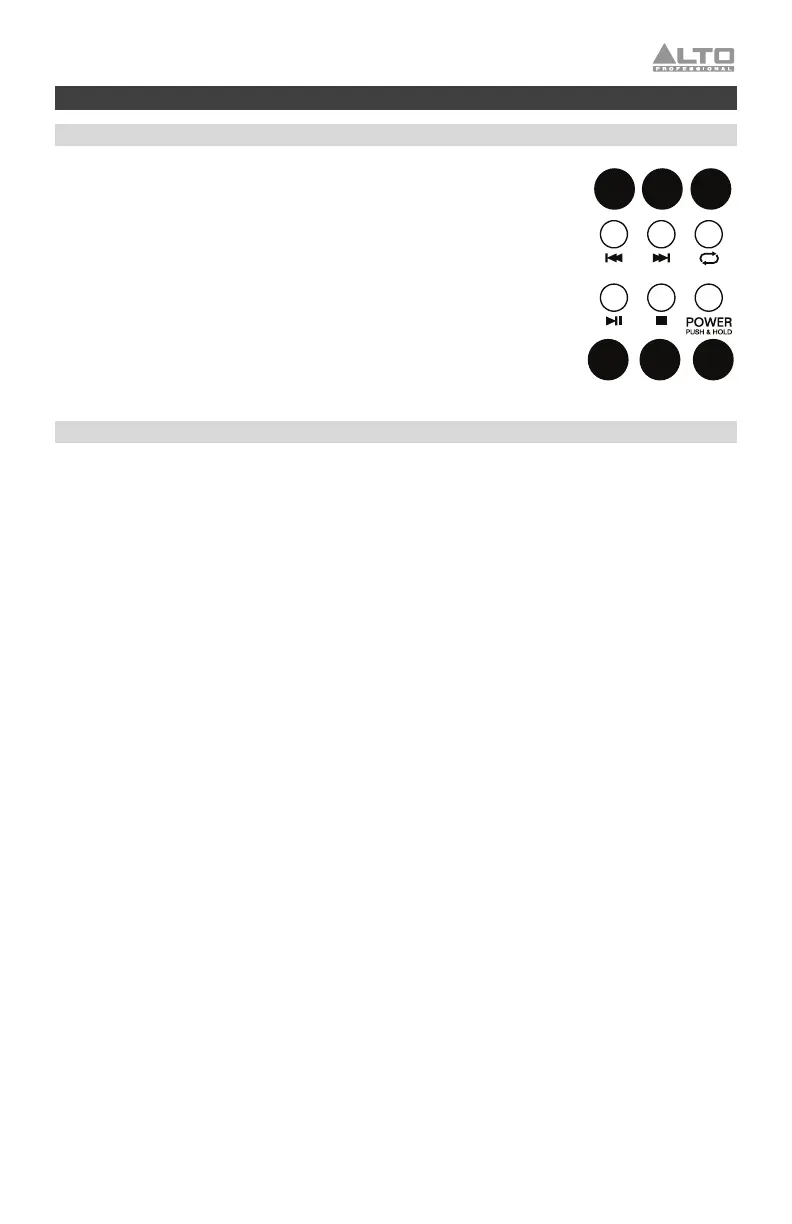
USB Media Player functions:
1. Play/Pause: Plays or pauses the track.
2. Stop: Stops the track from playing.
3. Power: Press and hold for two seconds to power the USB Media Player on
or off.
4. Prev: Press and release to go to the previous track or to the previous folder.
Press and hold to decrease the USB track volume.
5. Next: Press and release to advance to the next track or to the next folder.
Press and hold to increase the USB track volume.
6. Repeat: Cycles through the different repeat options for the tracks.
• Random (A): Plays random tracks from the current folder.
• Repeat One (1): Plays and repeats the current track.
• Repeat Folder (All): Plays through the tracks in the current folder and
then restarts playback of the tracks.
Playing Music from a USB Drive
1. Power on TX15USB
2. Press and hold the USB Media Player’s Power button for 2 seconds to power on the USB Media
Player.
3. Connect a USB flash drive to the USB Media Player.
4. Use the |<< and >>| buttons to select a track.
5. Press Play/Pause to play a track.
6. Adjust the track volume using the USB Volume knob.
1 2 3
4 5 6



 To Next Page