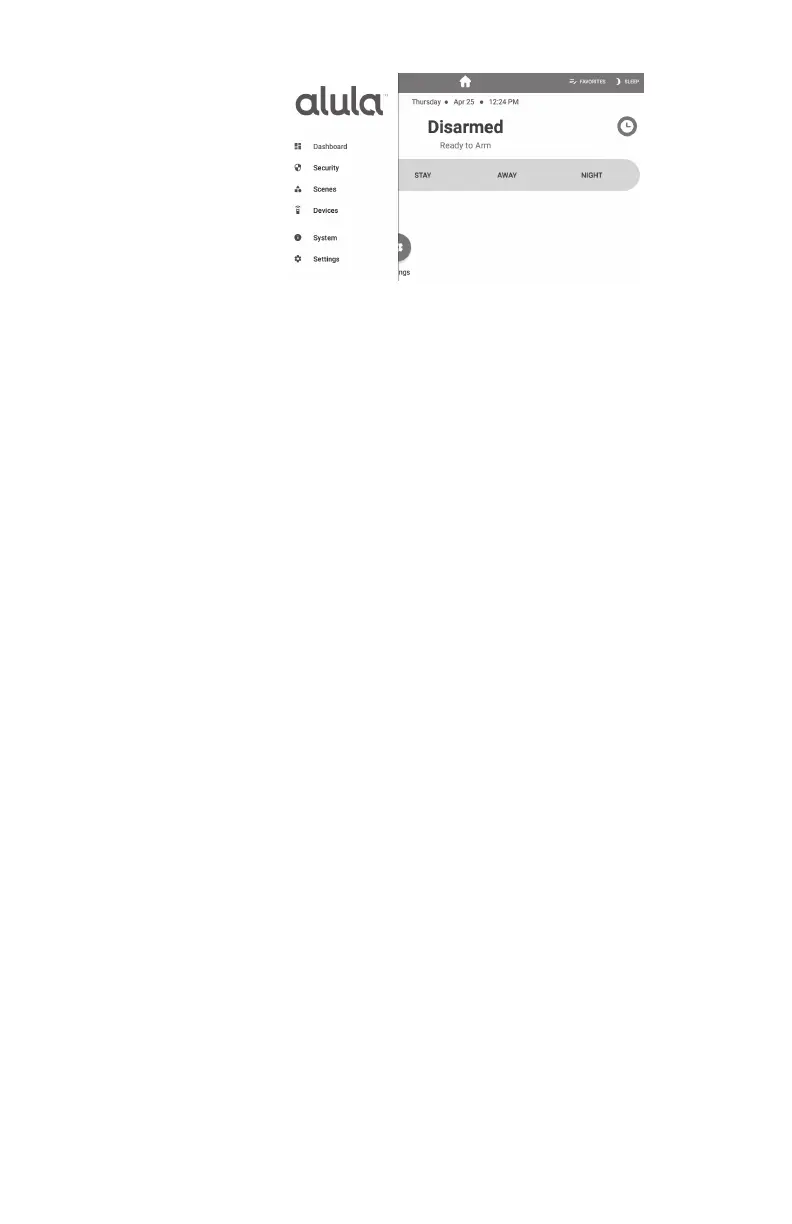
Security
• History - shows event history
• Attention - shows all opened, bypassed, or troubled zone. Zones can be bypassed or
activated by pressing the toggle to the right of the zone name.
Scenes
• Create scenes from the Touchpad by clicking the “+ Add” button
• Enable/disable scenes with the toggle button
• Navigate to the edit scene page by selecting an item in the list
• Rename a scene by selecting the name label in the top bar
• Modify the scene by adding/removing triggers and actions
Devices
• Add/Remove Z-Wave
®
devices using the "+ Add" or "- Remove" buttons in the app
bar
• Lock and unlock Z-Wave door locks
• Turn Z-Wave lights on and off
• Set dimmer level for Z-Wave dimmer switches
• Open and close Z-Wave garage door openers
• Control Z-Wave thermostats
**PLEASE SEE Z-WAVE USER GUIDE FOR ADDITIONAL INFORMATION**
System
•
Panel
• Troubles - shows all system troubles
• Status - shows all status updates
•
Touchpad
• Battery - shows battery level and charging information
• Network - shows network the Touchpad is connected to
• Access point MAC
• Wi-Fi signal strength - must not be less than 35
• Response Time
• Wi-Fi channel
• Touchpad Firmware
• Touchpad Hardware
• Updater Firmware
• Serial Number
• FCC/IC information
• Uptime
Menu Guide


 To Next Page