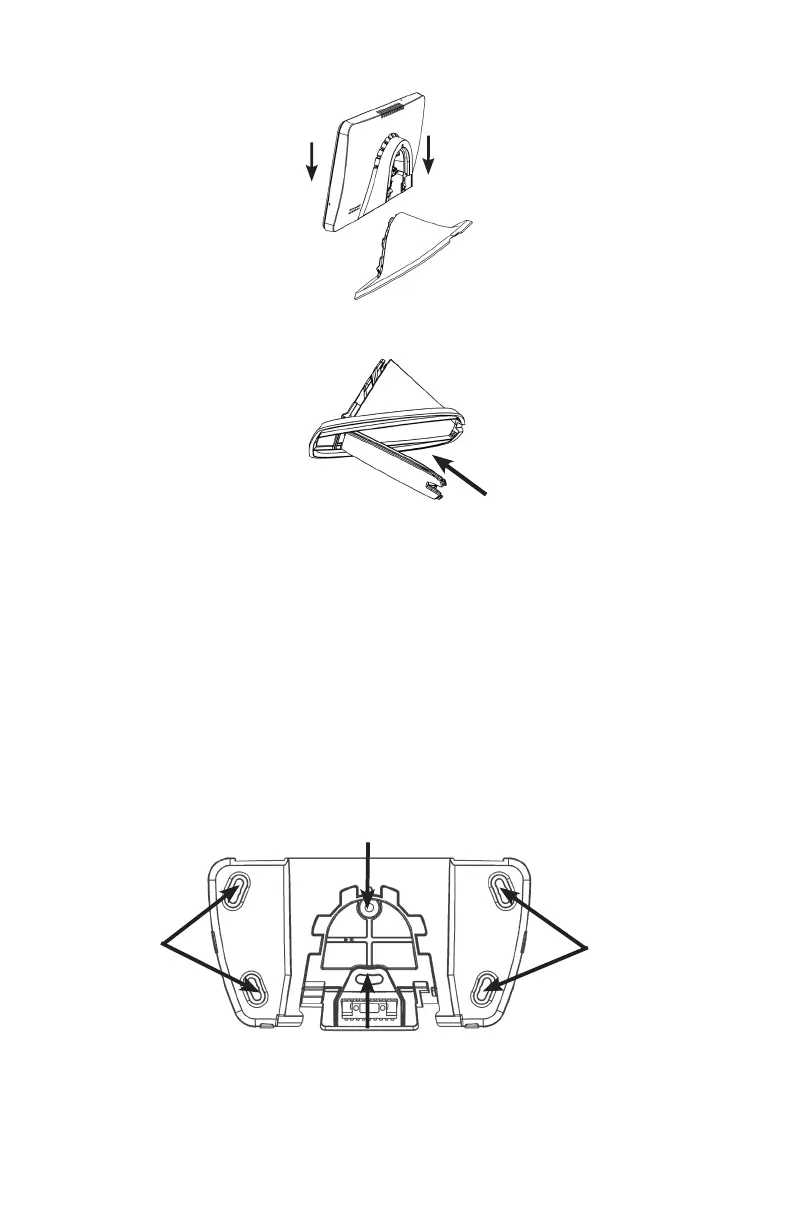
2. Slide the Touchpad onto the stand. The t is intended to be quite snug, so some force may
be required for the stand to “click” into place.
3. Coil up the excess power wire into the stand, and close the stand cover to contain the wires.
4. Plug in power supply.
Wall Mounting
1. There are two mounting congurations.
A. If mounting on a stud, use the two centered holes labeled below [A].
B. If not mounting on a stud, use the four corner mounting holes. Insert the wall anchors prior
to screwing the screws in place [B].
B
A
B


 To Next Page