Touch screen or buttons
Open an application: Tap an icon.
Tap anytime to return to previous screen.
Tap anytime to return to Home screen.
Tap anytime to display Option Menu.
Scrolling
Drag up or down to scroll. On some screens such as webpages,
you can also scroll side to side.
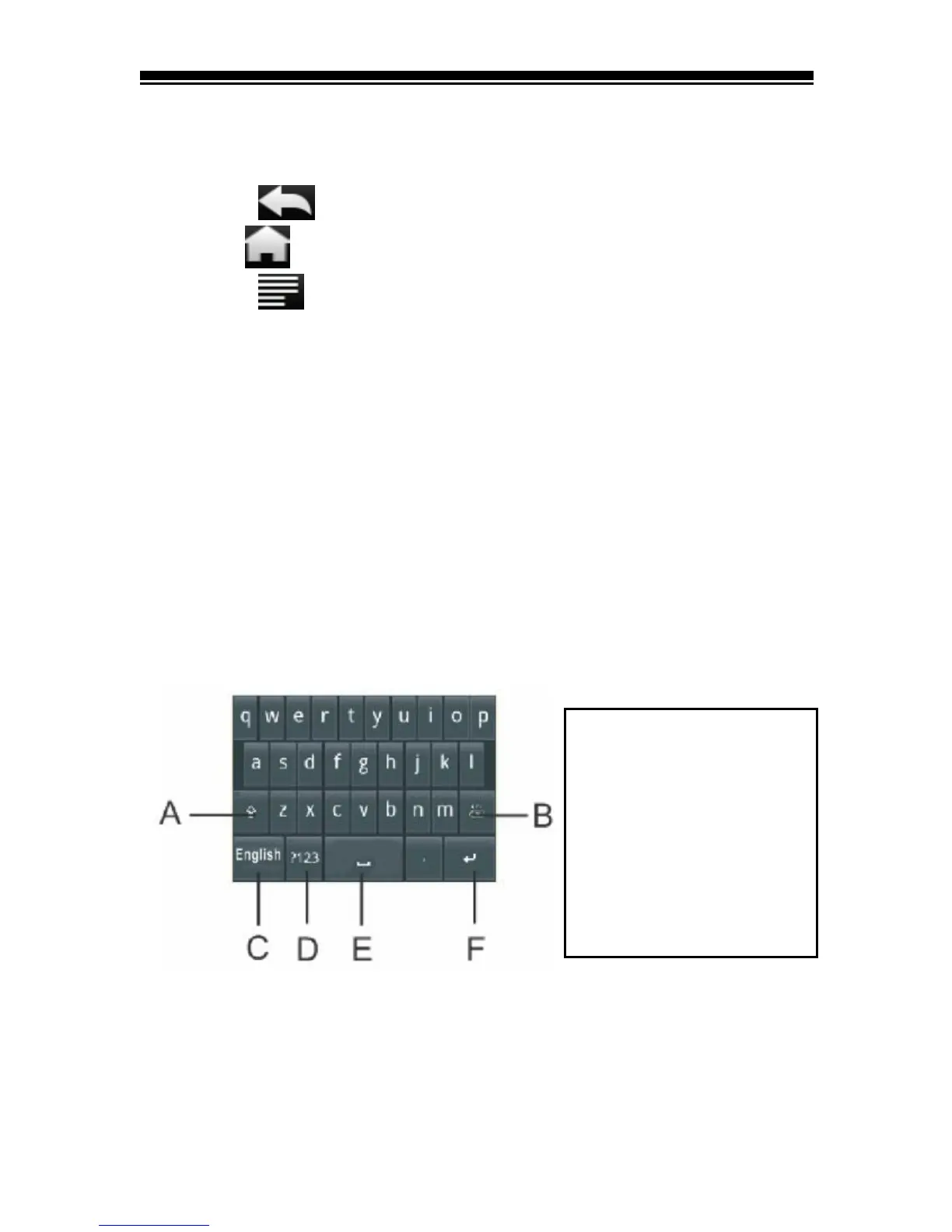
Onscreen keyboard
Use the onscreen keyboard as shown below to enter text, such
as text messages, or web addresses.
Tap a text field to bring up the keyboard.



 To Next Page