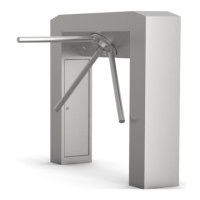
The Alvarado SU500 is a barrier-free optical counting turnstile designed for protecting assets and controlling the flow of people. It is a sophisticated device that utilizes optical sensors to detect and count individuals passing through, providing a seamless and secure access control solution without physical barriers.
Function Description
The SU500 turnstile operates by creating an invisible optical field across the passageway. When a person passes through this field, the optical sensors detect their presence and movement, allowing for accurate counting and access control. This barrier-free design offers a less intrusive and more aesthetically pleasing solution compared to traditional turnstiles with physical barriers. The system can be configured for single-lane or multi-lane setups, with master and slave cabinets working in conjunction to manage the flow of traffic.
The turnstile integrates with Alvarado's GateWatch software or GWCB-12 counting device for data collection and management. It supports various operating modes, including count mode for simple passage counting, no passage mode where passage is not counted, and blocked sensor mode for detecting obstructions. The system can be configured to generate count outputs for entry and exit, providing valuable data for facility management.
Important Technical Specifications
- Power Requirements: The SU500 operates on 110-240 VAC, 50/60 Hz. Primary power consumption is 22W per lane with all options installed.
- Operational Voltage: Primary power is stepped down and rectified for low-voltage 12 VDC and 5 VDC operation.
- Fuse: A 2.5A (slo-blo) fuse is located in the master cabinet.
- Surge Protection: Alvarado suggests the use of surge protection on the high-voltage power line to further protect electronics.
- Conduit Requirements:
- Primary Power Conduit (High Voltage Power): 3/4" (19mm) conduit for primary source power (e.g., 120 VAC, 220 VAC) must be run to the master and center cabinets.
- Ethernet Conduit (GateWatch/Network): 3/4" (19mm) conduit for Ethernet. Networked turnstiles must have Ethernet cable run to all master and center cabinets.
- Crossover Cable Conduit: 1.5" (38mm) conduit must be run to interconnect the cabinets in each lane.
- Environmental Requirements:
- Operation Temperature: 10° - 32°C / 50° - 90°F
- Non-Operation/Storage Temperature: 0° - 40°C / 32° - 104°F
- Humidity Range (Non-Condensing): 15% - 85% RH
- The product is intended for indoor use only.
- DO NOT install the SU500 where infrared lighting (strobe lights, flash photography, etc.) is in the direct path of the optical sensors. Interference may affect the performance of the turnstile.
- Dimensions:
- 28" Single Lane (Plan View): 36" [915] x 4" [102] x 17" [432] (width x depth x height). Footprint: 5" [127] x 4" [102] x 4" [102] x 5" [127].
- 36" Single Lane (Plan View): 45" [1016] x 4" [102] x 17" [432] (width x depth x height). Footprint: 5" [127] x 4" [102] x 4" [102] x 5" [127].
- 28" Portable Baseplate: 36" [914] x 23" [584].
- 36" Portable Baseplate: 44" [1118] x 23" [584].
- Anchoring: 2X Ø.5" [19] anchoring locations for permanent installation. Concrete anchors are recommended.
- Connectivity: Ethernet for network communication, VNC Viewer for configuration and management.
Usage Features
- Barrier-Free Design: Provides a non-intrusive and aesthetically pleasing access control solution.
- Optical Counting: Utilizes advanced optical sensors for accurate detection and counting of individuals.
- Single and Multi-Lane Configurations: Adaptable to various facility layouts and traffic demands.
- Integration with GateWatch Software: Allows for comprehensive data collection, reporting, and management of turnstile operations.
- GWCB-12 Compatibility: Can be used with the GWCB-12 counting device for basic counting functionalities.
- Multiple Operating Modes: Supports Count Mode, No Passage Mode, Blocked Sensor Mode, and Lingering Mode, offering flexibility in access control scenarios.
- Remote Configuration: VNC Viewer allows for remote configuration and management of the turnstile's settings, including network parameters, operating modes, and passage settings.
- Pre-Installation Checklist: A detailed checklist ensures all components are present, the turnstile configuration and layout are confirmed, and all applicable requirements are met before installation.
- Power-Up Sequence: The turnstile undergoes a power-up cycle with auditory chimes and LED indicators to confirm successful initialization.
- Output Relays: Optional count output relays can be used to communicate count data to the GWCB-12 or other systems.
- Battery-Powered Counters (Optional): Provides an alternative for counting passages, with a reset key switch for convenience.
Maintenance Features
- Preventative Maintenance: Recommended periodically to ensure optimal performance and visual appearance.
- Cleaning the Cabinet Exterior:
- Stainless steel surfaces can be cleaned with commercially available cleaners or polish. For heavier scratches, a metal blend and finish pad can be used, followed by a stainless steel cleaner. Always polish in the direction of the grain.
- Powder-coated surfaces can be cleaned with a soft damp cloth. Deep scratches should be touched up to prevent rust or corrosion.
- Cleaning the Top Lid and Sensor Lens Covers:
- Use cleaning products specifically recommended for acrylic surfaces (e.g., Brillianize, Novus #1).
- Clean with a soft cloth; do not scrub the acrylic.
- Check for cracks or scratches; replace sensor lens covers only if they inhibit unit function.
- Interior Maintenance (Annual):
- Use canned air dust remover to clean dust from Printed Circuit Boards (PCBs) and optical sensors.
- Weekly Safety Check:
- Attachment: Verify cabinet lids and side panels are secure; tighten screws if necessary.
- Passageway: Check for trash or debris in the turnstile passageway and entry/exit areas.
- Count Test: Activate the turnstile and complete a passage in both entry and exit directions.
- Troubleshooting Section: Provides guidance for common installation problems, including:
- Unit will not power up: Check power to the terminal block, main turnstile controller LEDs, fuse (replace with 2.5A slo-blo if necessary), and power supply output (meter 5V and 12V outputs).
- Blocked Sensor Auditory Alarms: Check for stray wires or cables in front of the transmit and receive operational sensors; tuck them out of the sensor viewing area.

 Need help?
 General

 To Next Page