IPB-5000B
6. Description of Display Screens
6-12
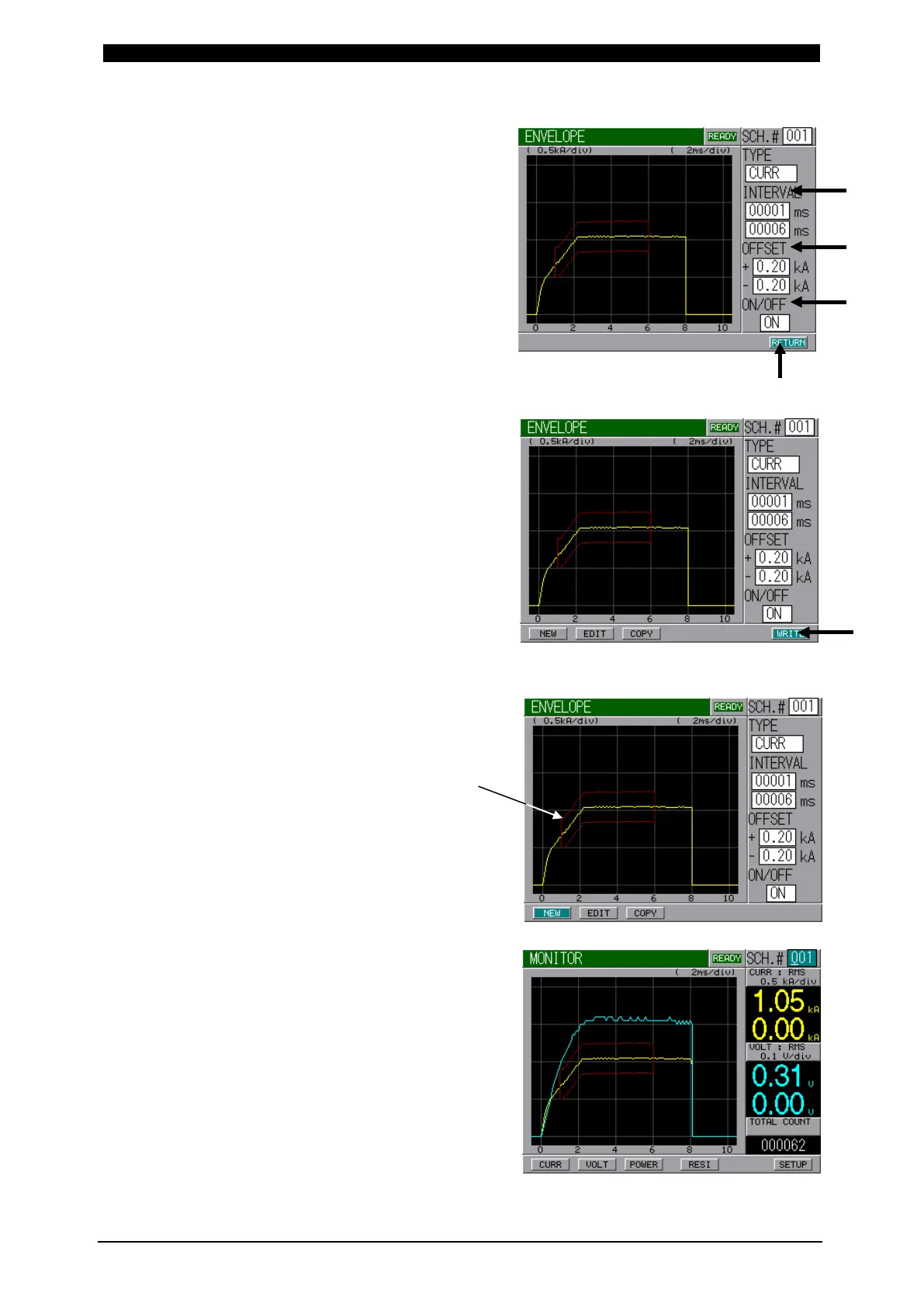
INTERVAL sets the time period
from the beginning to end of
Envelope waveform.
OFFSET sets a plus (+) and
minus (-) allowable value.
Concerning ON/OFF, ON should
always be selected when using
Envelope function. If OFF is
selected, no Envelope function
works.
After setting the above items,
select RETURN Button and
press ENTER Key.
Select WRITE Button and press
ENTER Key to store the setting.
Here, in this step, Envelope
Waveform has been set.
When displaying the monitored
screen, Envelope Waveform will
appear.


 To Next Page
 Loading...



