4 PIX-3000x Operations Manual
Wall Mounting
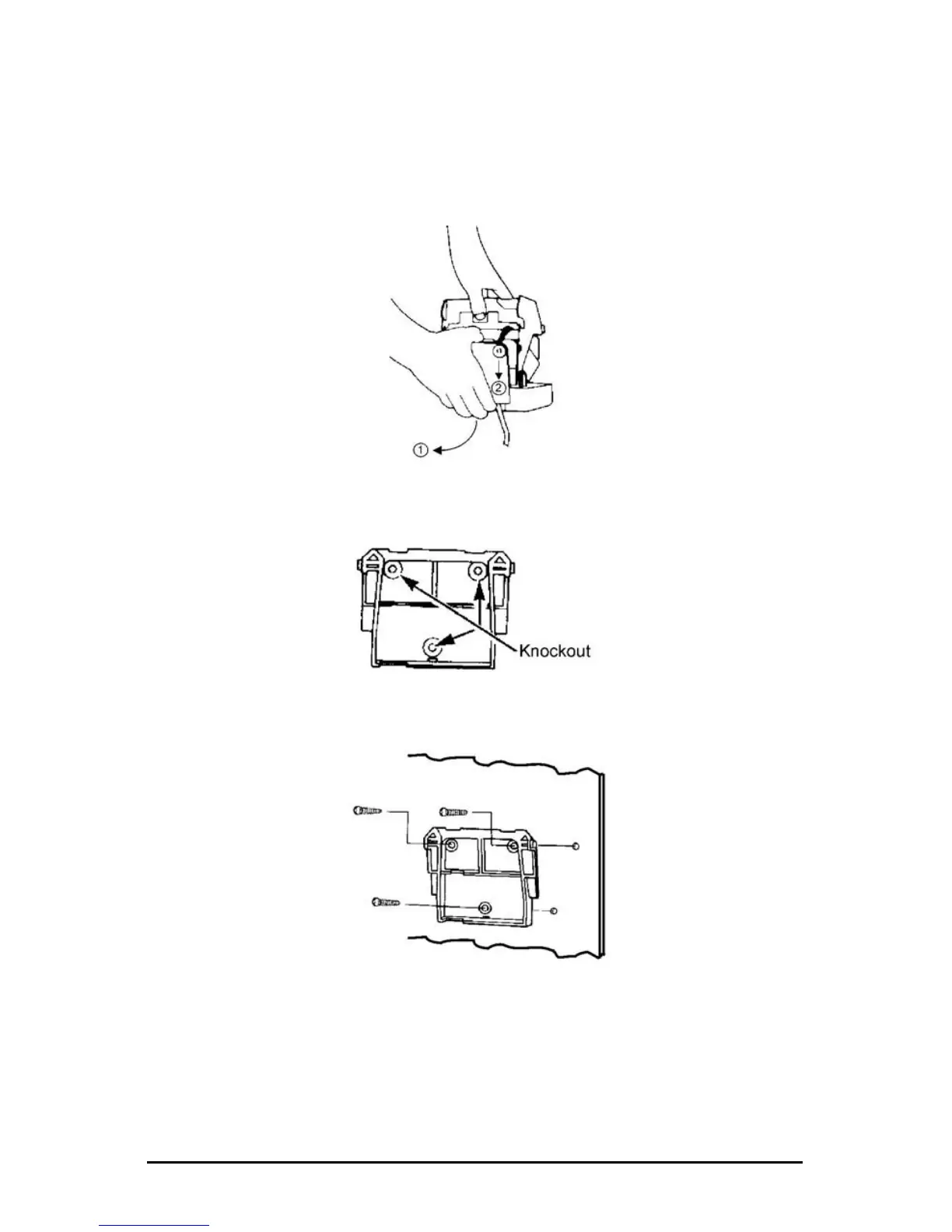
1. With the cover removed, the wall mount plate can be removed by
using your index finger as shown below to pry open the bottom
portion (see arrow 1). Slide the wall mount plate down in the
direction of arrow 2.
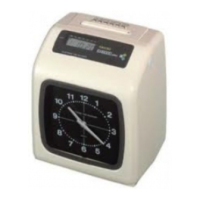
2. Knock out the three holes in the mounting plate.
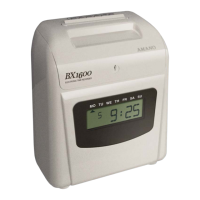
3. Mount the plate on the wall using three #10 screws or equivalent.
4. Align the PIX with the hooks on the mounting plate. Press the PIX
down and toward the wall until a "CLICK" is heard. Replace the
cover, lock it and remove the key. Your PIX-3000x is now mounted.



 To Next Page