PIX-95 www.amano.com 1-800-253-9836 pg. 3
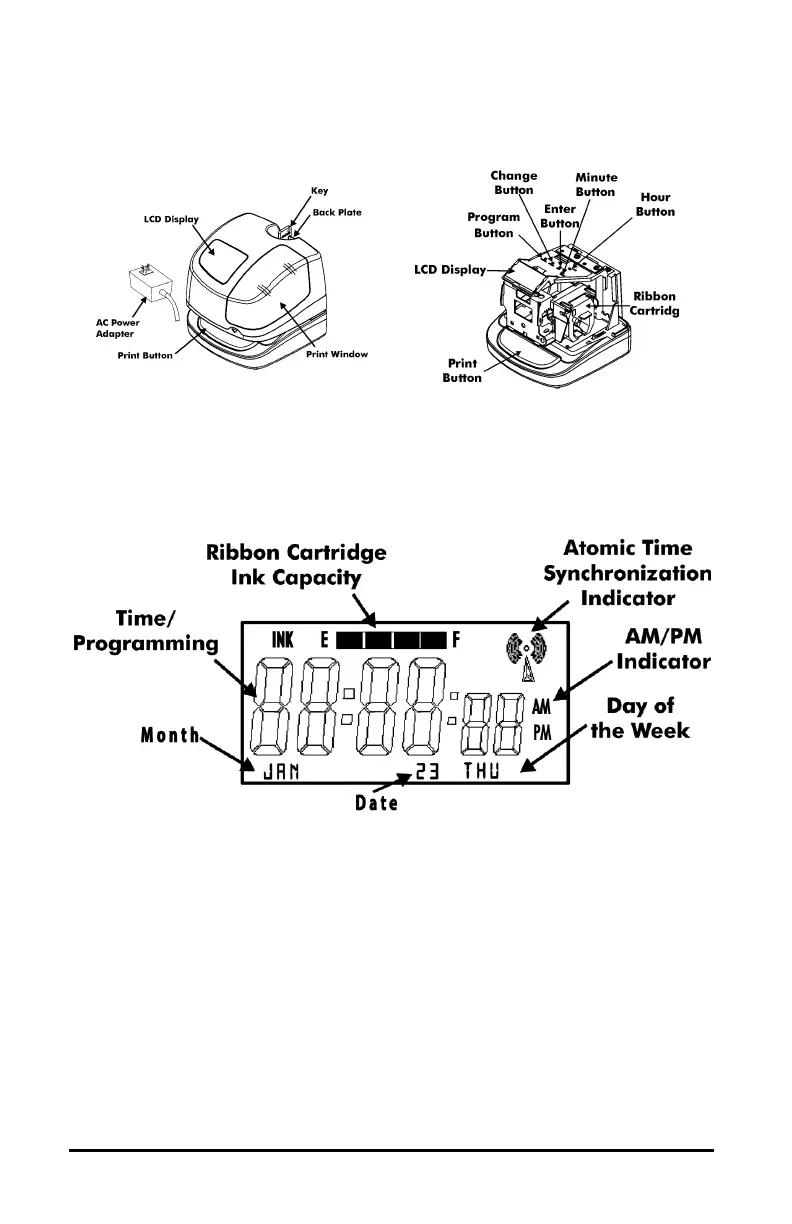
The PROGRAM button is used to enter and exit the Program Mode.
The CHANGE button is used to change the information on the display.
The ENTER button is used to accept the information shown on the display
and save it in memory.
The HOUR button advances the hour in the display by increments of 1.
The MINUTE button advances the minutes in the display by increments of 1.
The LCD Display contains an Ink Capacity gauge. This gauge indicates the
amount of ink remaining in the ribbon cartridge using four bar segments, from E
(Empty) to F (Full).
The PIX-95 calculates the ink capacity of the ribbon cartridge from the number
of imprints made. As the ink capacity decreases, the bars in the gauge will
disappear.


 To Next Page