31
FIG.4
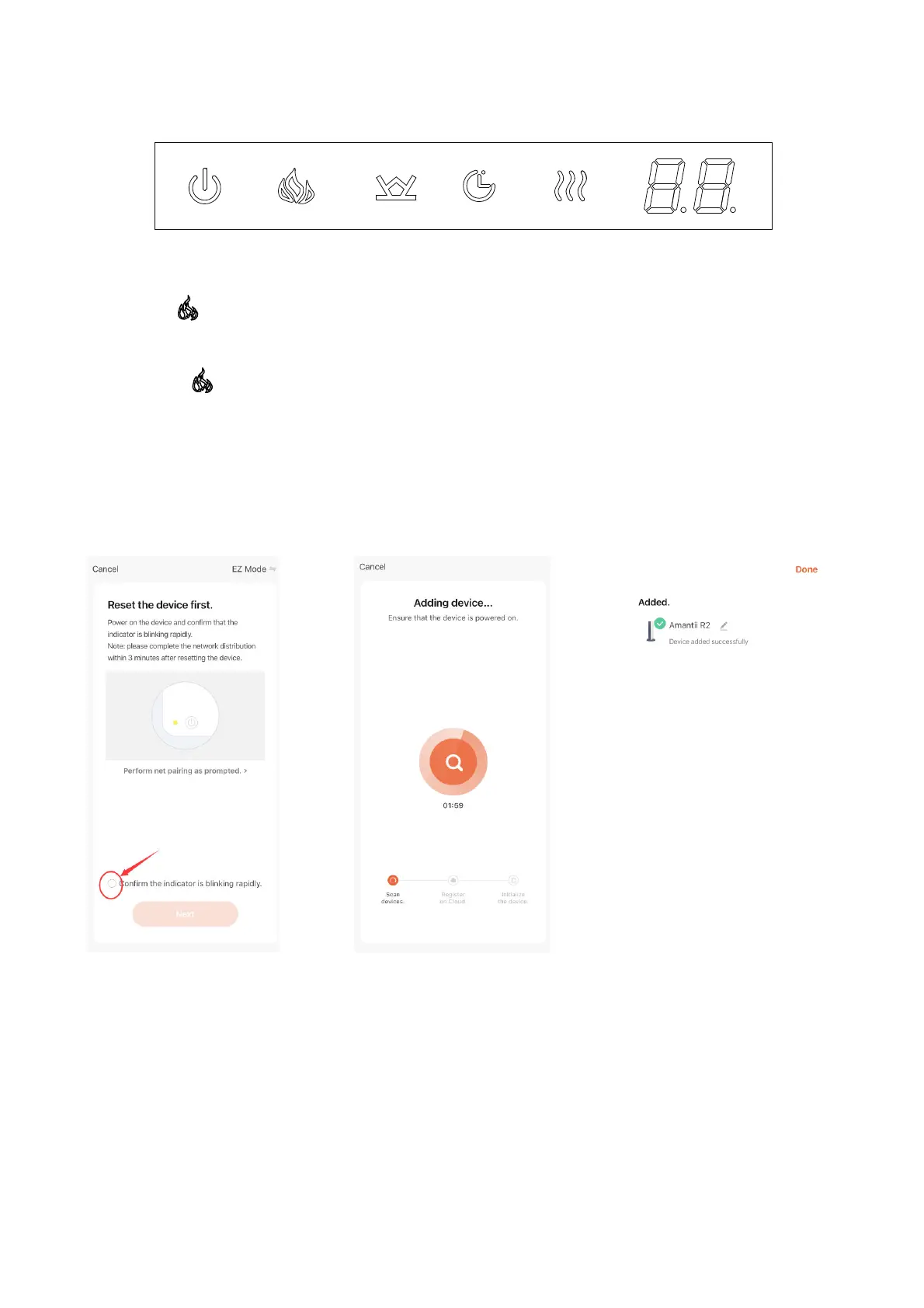
3. Press (flame button) on the touch panel of the fireplace for more than 5 seconds
when the fireplace in standby mode. There will be 2 beeps come out from the fireplace
and the (flame button) will flash as well indicating that Wi-fi is in EZ mode. Then
please confirm to go next. (FIG.5)
4. The APP will scan (FIG.6) and add the fireplace to APP (FIG.7) automatically. Please
make sure the Wi-fi account and password you set are correct and Wi-fi signal is good.
5. Touch “Done” to finish Wi-fi setting.(FIG.7)
FIG.5 FIG.6 FIG.7




 To Next Page