4. Using the Sidus Link APP
You can download the Sidus Link app from the iOS App Store or Google Play Store for
enhancing the functionality of the light. Please visit sidus.link/app/help for more details
regarding how to use the app to control your Aputure lights.
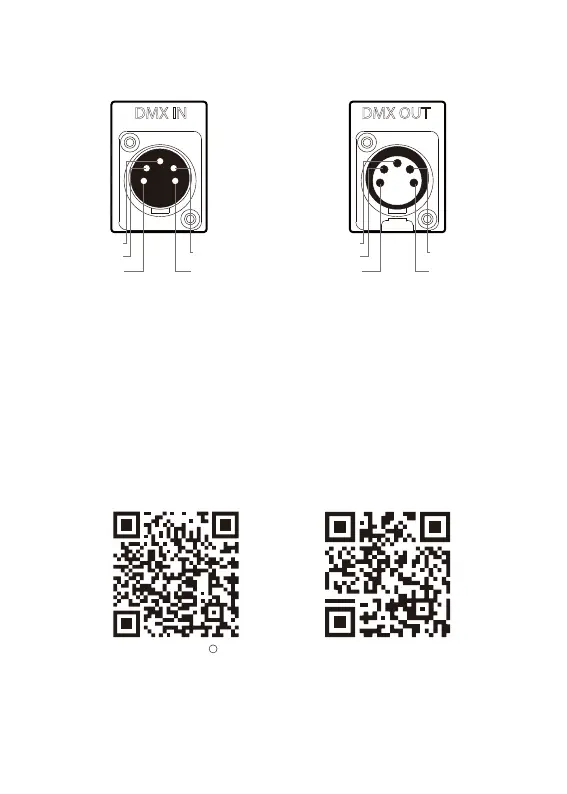
3.3 The DMX interface schematic:
3.4 DMX Channel Selection
In DMX mode, match the channel of your DMX controller with the light, and then
control the light via DMX controller.
-17-
Sidus.link/app/help
Get Sidus Link
R
App
Signal Common
Data 2+ (Optional
Secondary Data Link)
Data 2- (Optional
Secondary Data Link)
Data 1-
(Primary Data Link)
Data 1+
(Primary Data Link)
1
2
3
4
5
Data 2+ (Optional
Secondary Data Link)
Data 2- (Optional
Secondary Data Link)
Signal Common
Data 1-
(Primary Data Link)
Data 1+
(Primary Data Link)
1
2
3
4
5


 To Next Page