EasyManua.ls Logo

amaran 60x - User Manual

amaran 60x
15 pages
Print Icon
To Next Page IconTo Next Page
Loading...
amaran 60x
Product Manual
English
Question and Answer IconNeed help?

Do you have a question about the amaran 60x and is the answer not in the manual?

Summary

Important Safety Instructions

General Safety Precautions

Covers essential safety guidelines for operating the lighting fixture, including handling, power, and maintenance.

FCC Compliance Statement

Device Compliance and Warnings

Details FCC compliance rules, operational conditions, and warnings regarding modifications and interference.

RF Warning Statement

RF Exposure Requirements

Statement regarding the device's evaluation for general RF exposure requirements.

Check List

Included Accessories

Lists all items that should be included in the product package upon unboxing.

Product Details

Light Components Overview

Identifies and labels the key parts of the amaran 60x light fixture.

Installations

Protection Cover Installation

Instructions on how to attach and detach the protective cover of the light.

Bowens Mount Reflector Installation

Steps for installing and removing the Bowens Mount Mini Reflector.

Light Setup and Mounting

Guide to adjusting the lamp body height, fixing it on a tripod, and setting the angle.

Soft Light Umbrella Attachment

Procedure for inserting and securing a soft light umbrella to the fixture.

Battery Handle Installation

Instructions for tightening the battery handle and attaching battery plates or V-mount batteries.

Power Supply Options

AC Power Connection

Details on powering the fixture using an AC adapter and connecting to a power outlet.

DC Power Connection

Instructions for powering the fixture using DC power sources, such as batteries.

Operations

Powering On;Off

Procedure for turning the light fixture on and off using the power button.

Manual Brightness and CCT Control

Guide to adjusting brightness (INT) and color temperature (CCT) using the control knob.

Wireless Control via Bluetooth

Instructions for connecting the light to a mobile device via Bluetooth for wireless control.

Bluetooth Reset Procedure

Steps to reset the Bluetooth connection, including success and failure indicators.

Firmware Updates (OTA)

Information on updating the device firmware wirelessly using the Sidus Link App.

Using the Sidus Link App

Guidance on downloading and using the Sidus Link App for enhanced light functionality.

Specifications

Technical Specifications

Lists key technical details including operating voltage, power consumption, TLCI, CRI, CCT, and dimensions.

Photometrics

Illumination Performance Data

Presents photometric data (lux/fc) for different CCTs and distances with bare bulb and hyper-reflector.

Modifier Compatibility

Compatible Light Accessories

Details accessories compatible with the amaran 60x Bowens Mount, including load limits.

Trademarks

Brand Ownership

Information regarding the trademark ownership of Bowens.

Overview

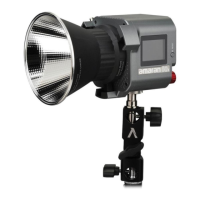
The Amaran 60x is a high-performance LED photography light designed for professional-level photography. It is part of the "amaran" series and is characterized by its compact structure, light weight, and excellent texture. This device offers a high level of performance, including high brightness and high indication, with adjustable brightness.

Function Description

The Amaran 60x serves as a versatile lighting solution for various photographic scenarios. It can be used with existing Bowens Mount lighting accessories, allowing users to achieve a wide range of lighting effects and enrich product usage patterns. The light is designed to meet the needs of different occasions for light control, making it easy to achieve professional-level photography.

The device features manual control for both brightness (INT) and correlated color temperature (CCT). Users can adjust the brightness from 0% to 100% in 1% increments by rotating the INT adjusting knob. A quick click of the knob allows for rapid switching between predefined brightness levels: 20%, 40%, 60%, 80%, and 100%. Similarly, the CCT can be adjusted from 2700K to 6500K in 100K increments by rotating the CCT knob. Quick switching between CCT levels (2700K, 3200K, 4300K, 5600K, 6500K) is also possible with a click of the knob. These adjustments are displayed in real-time on the light body's OLED display.

In addition to manual control, the Amaran 60x supports wireless mode adjustment via Bluetooth. Users can connect the light to a mobile phone or tablet using the Sidus Link App. This allows for wireless control of the light's functions, including brightness, frequency, and various lighting effects. The app offers 9 lighting effects: paparazzi, fireworks, faulty bulb, lightning, TV, pulse, flash, explosion, and fire. When controlled by the app, the LCD displays "FX" in the upper left corner.

The device can be powered by either AC or DC sources, providing flexibility for different shooting environments. For AC power, it connects to a standard electrical outlet (100V-240V). For DC power, it can be used with batteries (not included) via a battery handle.

Usage Features

The Amaran 60x is designed for ease of installation and use.

  • Protection Cover: The protection cover can be attached or detached by pushing the lever handle in the direction of the arrow and rotating. It is crucial to remove the protection cover before turning on the light and re-install it when packing the light away to prevent damage.
  • Bowens Mount Mini Reflector: The Bowens Mount Mini Reflector is installed by pushing the lever handle and rotating it into place. Removal follows the opposite procedure.
  • Setting up the Light: The lamp body can be adjusted to the desired height on a tripod. A tie-down mechanism secures the lamp body, and the lock handle allows for adjusting and fixing the lamp body's angle.
  • Soft Light Umbrella Installation: A soft light umbrella can be easily installed by inserting its handle into the designated hole and locking it with the knob.
  • Battery Handle Installation: For portable use, a battery handle can be attached to the lamp body via a 1/4 screw. A battery plate or V-mount battery can then be secured to the handle using the V-mount lock.
  • Powering the Device: When connecting or disconnecting the power cord (for both AC and DC), users must press the spring-loaded lock button to avoid pulling the cord forcibly, which could damage the connection.
  • Bluetooth Reset: If there are issues with the Bluetooth connection, users can long-press the Bluetooth Reset button. During the reset process, the LCD will display "BT Reset" and a flashing Bluetooth icon, along with a percentage indicating the progress (1%-100%). A successful reset will show "Success" for 2 seconds, while an unsuccessful attempt will display "Failed" for 2 seconds. After a successful reset, the mobile phone or tablet can reconnect and control the light.
  • OTA Mode: The Amaran 60x supports firmware updates via the Sidus Link App using OTA (Over-The-Air) updates.

Maintenance Features

Proper maintenance ensures the longevity and optimal performance of the Amaran 60x.

  • Cooling and Storage: After use, allow the lighting fixture to cool completely before storing it.
  • Cleaning: Only use a dry microfiber cloth to clean the product. Avoid immersing the fixture in water or any other liquids to prevent electric shock.
  • Ventilation: Do not block the ventilation openings of the device.
  • Direct Light Exposure: Avoid looking directly at the light when it is powered on, as it can be intense.
  • Placement: Do not place the LED lighting fixture near any liquids or other flammable objects.
  • Cable Management: Position power cables carefully to prevent tripping, pulling, or contact with hot surfaces. If an extension cord is necessary, ensure it has an amperage rating at least equal to that of the fixture to prevent overheating.
  • Servicing: If the fixture has a damaged cord, has been dropped, or is otherwise damaged, do not operate it. It should be examined by qualified service personnel. For any service or repair work, contact cs@aputure.com or take it to qualified service personnel. Do not disassemble the fixture yourself to reduce the risk of fire or electric shock. Incorrect reassembly can cause electric shock when the light is in use.
  • Authorized Service: If the product has a problem, it should be checked by an authorized service personnel agent. Malfunctions caused by unauthorized disassembly are not covered under warranty.
  • Accessories: It is recommended to use only original Aputure cable accessories. The warranty does not cover repairs required due to malfunctions caused by unauthorized Aputure accessories, although such repairs may be requested for a fee.
  • Protective Cover: Always remove the protective cover before powering on the light and re-install it when packing it away.
  • Load-Bearing Capacity: The Bowens Mount on the Amaran 60x has a limited load-bearing capacity (maximum load ≤ 2.5kg). Avoid using heavy-duty modifiers to prevent damage.
  • Electrical Safety: Always unplug the lighting fixture from the electrical outlet before cleaning and servicing, or when not in use. Never yank the cord to remove the plug from the outlet.
  • Children's Safety: Close supervision is necessary when the fixture is used by or near children. Do not leave the fixture unattended while in use.
  • Hot Surfaces: Exercise caution as burns can occur from touching hot surfaces during operation.

amaran 60x Specifications

General IconGeneral
Power Output60W
Color Temperature2700K-6500K
CRI≥96
Dimming0-100%
CoolingActive Cooling
Operating Temperature-20°C to 45°C
Power SupplyAC 100-240V
Beam Angle15° (Bare Bulb), 15-45° (with Reflector)
Operating VoltageAC 100-240V
Mounting1/4\"-20 mounting thread
Wireless RangeUp to 100m
ControlSidus Link
Weight675 g / 1.49 lbs

Related product manuals