EasyManua.ls Logo

amaran P60x - User Manual

amaran P60x
16 pages
Print Icon
To Next Page IconTo Next Page
Loading...
Product Manual
English
amaran P60x
Question and Answer IconNeed help?

Do you have a question about the amaran P60x and is the answer not in the manual?

Summary

Foreword and Safety Instructions

Important Safety Instructions

Basic safety precautions to follow when using the unit to prevent hazards and ensure safe operation.

Components List

Installation

Lamp Fixing

Instructions on how to securely attach the LED lamp to a mount using screws.

Softbox Installation

Steps to install the softbox onto the LED lamp body and attach the grid.

Power Supply Options

Lithium Battery Power Supply

Instructions for powering the device using Sony NP-F series lithium batteries.

Operation Instructions

Manual Control

Using the INT and CCT/HUE wheels to adjust light intensity and color temperature.

Menu Introduction and Settings

Using the Sidus Link App

Specifications

Service Warranty Information

Overview

The Amaran P60x is an LED photography light designed for creators, offering a blend of lightweight design and flexibility. It features an adjustable color temperature range from 3200 K to 6500 K, a power output of 60 W, and a maximum illuminance of 5070 lux at 1m (at 5600 K). The light boasts excellent color quality with a Color Rendering Index (CRI) of 95+ and a Television Lighting Consistency Index (TLCI) of 97, ensuring accurate color reproduction without flicker.

Important Safety Instructions:

Users are advised to read and understand all instructions before use. Close supervision is necessary when the fixture is used near children, and it should not be left unattended. Hot surfaces can cause burns, so care must be taken. The fixture should not be operated if the cord is damaged or if the fixture has been dropped or damaged, until it has been examined by qualified service personnel. Power cables must be positioned to prevent tripping, pulling, or contact with hot surfaces. If an extension cord is used, its amperage rating must be at least equal to that of the fixture to prevent overheating. Always unplug the light from the electrical outlet before cleaning, servicing, or when not in use, and allow it to cool completely before storing. To reduce the risk of electric shock, the fixture should not be immersed in water or other liquids, nor should it be disassembled by unauthorized personnel. Contact cs@aputure.com or qualified service personnel for repairs. The use of unrecommended accessory attachments may increase the risk of fire, electric shock, or injury. The fixture should be powered by connecting it to a grounded outlet and kept away from flammable objects. Only a dry microfiber cloth should be used for cleaning. Unauthorized disassembly voids the warranty. Only original Aputure cable accessories are recommended. The product is certified by RoHS, CE, KC, PSE, and FCC, and should be operated in compliance with standards. The warranty does not cover repairs from malfunctions due to unauthorized Aputure accessories, though such repairs may be available for a fee. Instructions are based on thorough testing, and design changes may occur without further notice.

FCC Compliance Statement:

The device complies with Part 15 of FCC rules, ensuring it does not cause harmful interference and can withstand external interference. Users are warned that unauthorized changes or modifications may void their right to operate the device. The device has been tested and found to comply with Class B digital device limits, providing reasonable protection against harmful interference in residential installations. If interference occurs, users are advised to increase the distance between equipment and receiver, connect the equipment to a different circuit, or consult a dealer or experienced radio/TV technician. The device also complies with FCC radiation exposure limits for uncontrolled environments.

Components List:

The Amaran P60x package includes:

  • Amaran P60x LED panel
  • AC Power cable
  • Adapter
  • 1/4 - 20 in & 3/8 - 16 in Spigot
  • Softbox
  • Grid
  • Carrying case

Product Details:

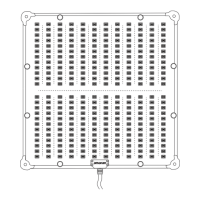
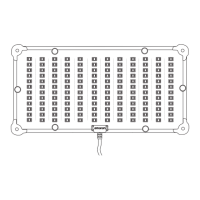
The Amaran P60x features a transparent protective baffle and LED chips on the front. The back panel includes:

  • Softbox support handles
  • 1/4 screw hole
  • Power Button
  • OLED Display
  • NP-F battery slots
  • LIGHTING Mode Button
  • EFFECTS Mode Button
  • CCT Wheel
  • Menu Button
  • DC Input
  • INT Wheel

Installation:

  1. Lamp Fixing: Screw the 1/4" to 3/8" screw clockwise into the 1/4" copper nut at the bottom (or side) of the LED lamp and tighten it. Connect the 1/4" to 3/8" screw and the lamp holder through the lamp holder support column, then adjust the angle and tighten.
  2. Softbox Installation: The softbox can be installed as needed.
    • Stretch the softbox.
    • Straighten the two support rods on both sides of the softbox to form a support rod.
    • Install the softbox onto the lamp body.
    • The grid can be installed according to requirements.

Power Supply:

  1. Adapter Power Supply: Connect the AC power cable (100 V - 240 V) to the adapter, then connect the adapter to the DC input of the P60x.
    • When disassembling the power cable, rotate the spring lock button on the cable before pulling it out to avoid damage.
  2. Lithium Battery Power Supply: The P60x uses Sony NP-F Series lithium batteries (NP-F 960 / F 970).
    • Installation: Slide the lithium battery into the battery slot.
    • Removal: Press the battery lock button while gently pushing up the battery.
  3. V-mount Battery or Anton Bauer Battery Power Supply: The lamp body can be connected to a V-mount or Anton Bauer battery using a "D-tap to DC" connection cable (purchased separately).

Operation Instructions:

  1. Turning on the Light: After connecting the lamp body to a power source, press the power switch to turn on the P60x.
  2. Manual Control:
    • Intensity (INT) Adjustment: Rotate the INT Wheel to adjust light intensity from 0-100%. The speed of rotation affects the rate of change.
    • CCT/HUE Adjustment: Rotate the CCT/HUE wheel to adjust the CCT from 3200 K to 6500 K.
    • LIGHTING Mode Button: Press to enter CCT mode and adjust CCT and INT.
    • EFFECTS Mode Button: Press to activate one of four light effects: Paparazzi, Strobe, Fireworks, or Pulsing.
    • MENU Button: Press to enter the menu interface.
  1. Fan Mode: Enter the menu, select "Fan Mode," then choose "Smart" or "Medium" mode, and confirm.
  2. Studio Mode: Enter the menu, select "Studio Mode," then choose "Yes" to turn on the power-on light.
  3. Bluetooth Reset: Enter the menu, select "Bluetooth Reset," then choose "YES" to reset Bluetooth pairing. Choosing "NO" returns to the previous menu.
  4. Fixture Serial No.: Enter the menu, select "Fixture Serial No." to view the device's unique serial number.
  5. Language: Enter the menu, select "Language," then choose "English" or "Chinese" and confirm.
  6. Firmware Version: Enter the menu, select "Firmware Version" to check the current firmware number.
  7. Custom FX: Enter the menu, select "Custom FX." Users can choose Picker FX, Music FX, or TouchBar FX. Each type can save up to 10 custom FXs. "NO FX" indicates an unsaved FX, and "Untitled" indicates a saved FX.
  8. Exit: Enter the menu, select "Exit" to return to the initial CCT mode interface.

The Sidus Link app can be downloaded from the iOS App Store or Google Play Store to enhance the light's functionality. More details on controlling Aputure lights via the app are available at sidus.link/app/help.

Technical Specifications:

  • CCT: 3200 K - 6500 K
  • CRI: ≥ 95
  • TLCI: ≥ 97
  • CQS: ≥ 95
  • SSI (D56): ≥ 72
  • SSI (D32): ≥ 84
  • Beam angle: 45°
  • Power Output: ≤ 60 W
  • Power Input: ≤ 78 W
  • Operating Current: 4.5 A
  • Operating Voltage: 100 V - 240 V, 50 Hz / 60 Hz
  • NP-F Battery Operating Voltage: 6.5 V - 8.4 V
  • V/Anton Bauer Mount Battery Operating Voltage: 12.5 V - 16.8 V
  • Operating temperature: -20 °C - +45 °C / -4 °F - +113 °F
  • Control Methods: Manual, Sidus Link APP
  • Wireless Operating Range (Bluetooth): ≥ 80 m / 262.5 ft
  • Screen Type: OLED
  • Cooling Method: Active Cooling
  • Head Cable: 2-Pin DC Head Cable (3 m)
  • Power cable: Locking Power cable (1.5 m)
  • Lamp Head Size: 25.10 * 17.40 * 3.95 cm
  • Lamp Head Weight: 979 g

Photometrics (Averaged Result):

CCT Distance 0.5 m 1 m 2 m
3200 K Lux 17570 4860 1280
Fc 1632 452 119
4300 K Lux 17670 4940 1283
Fc 1642 459 119
5600 K Lux 18120 5070 1328
Fc 1683 471 123
6500 K Lux 18410 5180 1354
Fc 1710 481 126

The luminance of individual units may vary slightly from this data.

Trademark Statement:

Sony is a trademark and product model of Sony Corporation in China or other countries.

amaran P60x Specifications

General IconGeneral
Brandamaran
ModelP60x
CategoryLighting Equipment
LanguageEnglish

Related product manuals