Need help?
Do you have a question about the amaran F21x and is the answer not in the manual?
Provides essential safety guidelines for operating the amaran F21x light fixture to prevent hazards.
Lists all accessories provided with the amaran F21x, ensuring all parts are accounted for before use.
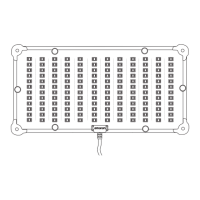
Illustrates and labels the key components of the amaran F21x lamp head, including mounting points.
Details the amaran F21x control box, identifying buttons, ports, and battery mounting options.
Step-by-step instructions for assembling the X-type frame for the amaran F21x light.
Guide on attaching the soft box, fabric diffusion, and grid to the light fixture.
Instructions for securely mounting the amaran F21x lamp body onto a tripod.
Explains how to connect the amaran F21x to an AC power source using the power adapter.
Details how to power the amaran F21x using V-mount or Anton Bauer batteries.
Basic steps for powering on the light and performing initial manual adjustments.
How to navigate and use CCT and FX modes for lighting effects and color temperature.
Covers Custom FX options and navigating basic menu functions like DMX and Frequency.
Details menu options for Dimming Curve, Bluetooth Reset, and Studio Mode.
Explains how to manage language, check firmware, and perform factory resets.
Instructions for connecting the amaran F21x to a DMX controller or adapter.
Details DMX IN/OUT ports and how to match DMX channels for control.
Guide to downloading and utilizing the Sidus Link app for enhanced light control.
Key technical data including CCT, CRI, power, voltage, and operating conditions.
Presents illuminance (lux) data for the light at various distances and CCTs.
The Amaran F21x is a high-performance LED photography light designed for professional-level photography, offering a compact, lightweight, and durable structure. This fixture is engineered to provide high brightness and an excellent color rendering index, with adjustable brightness to suit various lighting needs. Its versatility is further enhanced by compatibility with a wide range of lighting accessories, allowing users to achieve diverse lighting effects and adapt to different product usage patterns. The Amaran F21x is designed to meet the demands of various light control scenarios, making it an ideal tool for achieving professional photographic results.
The Amaran F21x offers flexible power options, allowing it to be powered by either AC or DC sources. For AC power, the light connects to a standard AC 100V-240V outlet via an AC cable and power adapter. For DC power, it can be operated using V-mount or Anton Bauer batteries, providing portability and convenience for on-location shoots. The device includes a control box with an OLED screen, offering intuitive manual control over its functions.
The control box features several key elements for operation:
The Amaran F21x features an X-type frame for easy assembly and disassembly. To set up, users pull out the bolts in the direction indicated, unfold the four support rods, and then loosen the fixing bolts to lock them in place. The lamp body is then attached to the X-shaped bracket by inserting the four support rods into the blocks at each corner. Removal involves pulling out the support rods in the opposite direction.
The soft box is designed for easy attachment, with grooves on one side corresponding to the side of the lamp body where the power cord is located. The Velcro on the lamp body and soft box are then secured, followed by the installation of fabric diffusion and a grid for light shaping.
The lamp body can be fastened to a light stand (not standard) using Bracket A or Bracket B. Users adjust the lamp body to a suitable height, rotate the tightening handle to secure it on the tripod, and then adjust the angle as needed before tightening the locking handle.
An extension cable can be used to connect the lamp body to the control box, allowing for greater flexibility in positioning. It's important to note that the extension cable, control box, and lamp body must correspond to ensure compatibility, and different models cannot be mixed. When removing the wire, users must press or rotate the spring lock on the connector to release the self-locking device, avoiding forceful pulling.
The MENU button provides access to advanced settings:
The Amaran F21x is compatible with the Sidus Link app, available on iOS App Store and Google Play Store. This app enhances the functionality of the light, providing more detailed control and options. Users can visit sidus.link/app/help for comprehensive guidance on using the app to control their Aputure lights.
 General
| Light Type | LED |
|---|---|
| TLCI | ≥98 |
| Dimming | 0-100% |
| Beam Angle | 120° |
| Control Methods | Manual |
| Control | Sidus Link App |

 To Next Page