-10-
3. Wireless mode adjustment
CCT adjustment:
The user can connect the light body named amaran 60x-xxxxxx through the bluetooth of the
mobile phone or tablet (Bluetooth serial number). At this time, the light body can be controlled
wirelessly through the mobile phone or tablet. When the light effect is controlled by APP, the
word "FX" is displayed in the upper left corner of LCD. In wireless mode, 9 lighting effects can be
controlled through App: paparazzi, fireworks, faulty bulb, lightning, TV, pulse, flash, explosion
and Fire. And App can control all kinds of light effect, brightness, frequency.
4. Reset Bluetooth
4.1 Long press the Bluetooth Reset button to reset bluetooth.
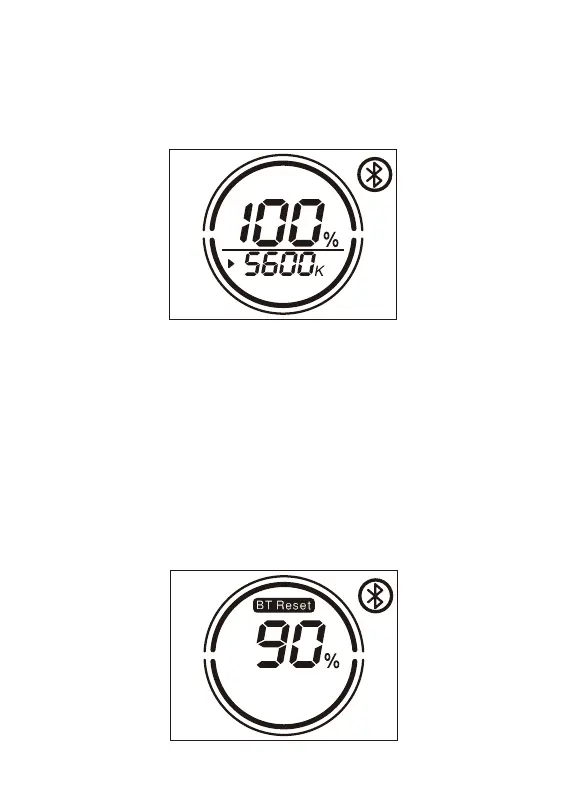
4.2 During the Reset process, the LCD displays BT Reset and the Bluetooth icon is flashing, and the
percentage shows the current Reset progress (1%-50%-100%).
a.rotate the knob to adjust the CCT with 100K variable and the CCT range is 2700K~6500K and
display the change of 2700K~6500K in real time on the LIGHT body OLED display.
b.Click the knob to quickly switch the CCT: 2700k→3200k→4300k→5600k→6500k cycle
switch.


 To Next Page