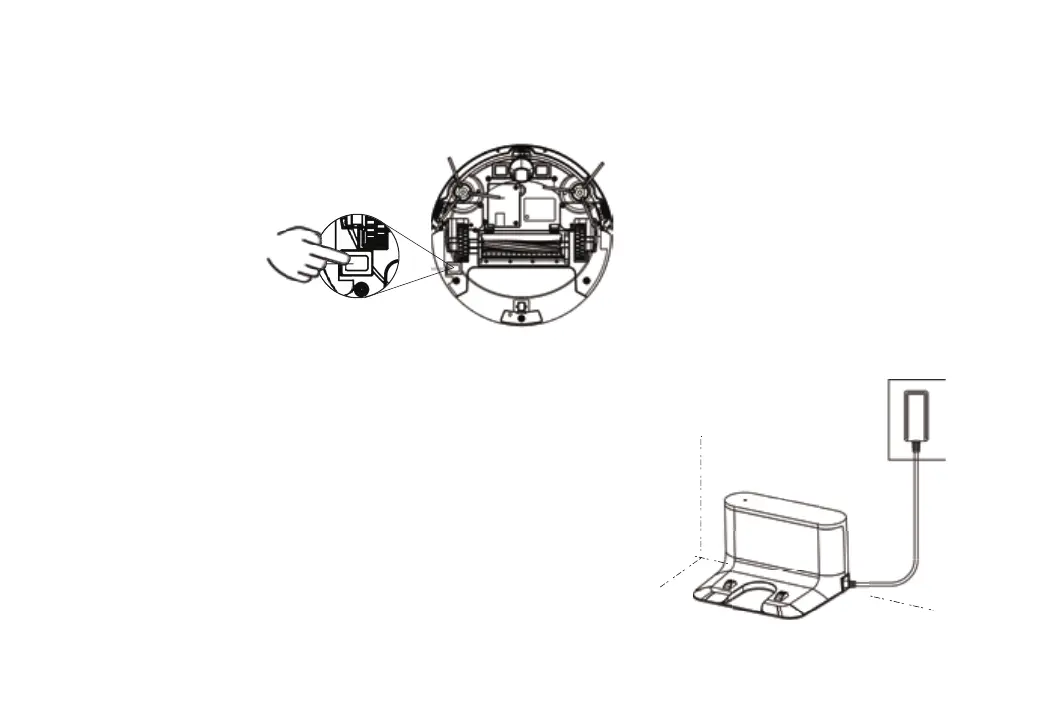
③. Charging Robot
Turn on the Main Power Switch at the bottom of Robot (1 refer to power on, 0 refer to power off). The robot can start
working after startup music.
Place robot onto the Charging Dock, ensure the Charging Contact Points on
Charging Dock and the bottom of robot are contact well. The robot will start
charging after hearing “in charging”. Battery fully charged may cost around
Tips: 1. The robot can’t power on when in low battery. Please turn on the power
switch at the bottom and put robot on charging base, the device will power on
automatically. When the power >20%, it can work normally.
2. Lithium battery pack is built in the robot. To maintain battery performance,
please keep the robot in charging state.
11



 To Next Page