EasyManua.ls Logo

Amazon B07NXJT6NN - User Manual

Amazon B07NXJT6NN
56 pages
Print Icon
To Next Page IconTo Next Page
Loading...
created by: Impala Services Ltd.Page size: 139.7 x 107.95 mm
B07NXJT6NN
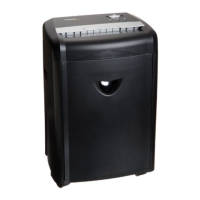
150-Sheet Autofeed Micro-Cut Paper Shredder
Trituradora de Papel Microcorte de Alimentación
Automática de 150 Hojas
Déchiqueteuse Micro-Coupe à Alimentation
Automatique, 150 Feuilles

Other manuals for Amazon B07NXJT6NN

Questions and Answers

  • A
    Andrew AdamsAug 10, 2025
    What to do if my Amazon Paper Shredder is jammed?
    • A
      Andrea DixonAug 10, 2025
      If your Amazon Paper Shredder is jammed, here's what you can do: * Open the lid, remove the remaining stack of paper, and carefully pull the jammed paper out of the cutters. * Remove any folded papers, staples, and clips. * Remove materials with adhesive labels. * Make sure papers are positioned properly. Staples must be placed in either the top left or top right of the paper tray.
  • T
    tbradfordAug 15, 2025
    What to do if my Amazon B07NXJT6NN Paper Shredder is jammed and runs in “Reverse” mode only?
    • T
      Thomas KhanAug 16, 2025
      If your Amazon Paper Shredder is jammed and runs in “Reverse” mode only, or if the “Overload” icon is lit in red, try the following: 1. Press the reverse button (|) for 5 seconds. 2. Turn off the shredder, then gently pull the paper side to side to remove as much of the jammed paper as possible. 3. Reduce the number of sheets being fed to ensure you don't exceed the maximum sheet count.
  • J
    John BrooksAug 20, 2025
    Why is my Amazon B07NXJT6NN Paper Shredder not turning on?
    • M
      Michele McdonaldAug 20, 2025
      If your Amazon Paper Shredder has no power, ensure the power cord is plugged into a functioning 120 V~ standard household power outlet. Also, check if the blue “Power On” icon is lit and that the lid and wastebasket are properly closed.
  • C
    Christine RichardsonAug 26, 2025
    What to do if Amazon B07NXJT6NN does not feed or shred credit card?
    • S
      Susan AndersonAug 26, 2025
      If your Amazon Paper Shredder does not feed or shred a credit card or a small piece of paper, position the credit card or small piece of paper over the credit card section of the feeder (center position) and try again.
  • B
    Becky FrederickAug 30, 2025
    How to fix stubborn jams in Amazon B07NXJT6NN Paper Shredder?
    • L
      lauraswansonAug 31, 2025
      If you encounter stubborn situations where the reverse function does not help with your Amazon Paper Shredder, follow these steps: 1. Turn off the shredder. 2. Apply shredder oil to the feed slot (shredder oil not included) and let it soak into the paper and machine for 30 minutes. 3. Set the “Power” button to “Auto/On”. 4. Press the forward button ( ) or use thick paper stock/greeting card to manually activate the shredder to cutting mode to push the jam through. 5. Reduce the number of sheets being fed (count pages to be sure not to exceed the maximum sheet count) and refeed the paper.
  • D
    Dana RobertsSep 4, 2025
    What to do if the “Feed Error” icon is lit on my Amazon Paper Shredder?
    • M
      Mr. David PerezSep 4, 2025
      If the “Feed Error” icon is lit on your Amazon Paper Shredder, open the lid to make sure the papers are unfolded and positioned properly, as the paper in the paper tray cannot be grabbed into the shredding slot.

Amazon B07NXJT6NN Specifications

General IconGeneral
Model NumberB07NXJT6NN
Shred TypeCross-Cut
Sheet Capacity8 sheets
BrandAmazon Basics
Item model numberB07NXJT6NN
ColorBlack
Wastebasket Capacity4.1 gallons
Run Time3 minutes
Cool Down Time30 minutes
Safety LockYes

Related product manuals