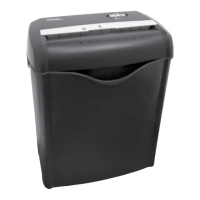
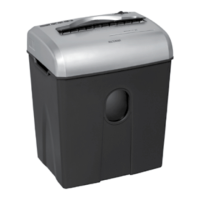
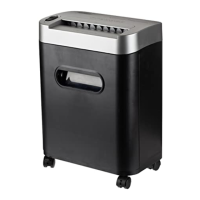
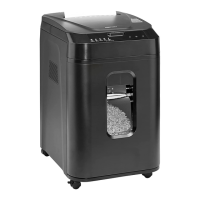
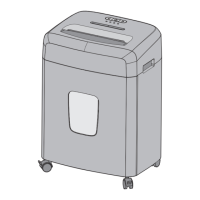
This document is an instruction manual for the AmazonBasics 12-Sheet High Security Micro-Cut Paper/CD/Credit Card Shredder with Pullout Basket, ASIN# B00D7H8XB6.
The device is a paper shredder designed for home or office use, capable of shredding paper, CDs, and credit cards. It features a micro-cut shredding mechanism for enhanced security, breaking down documents into very small pieces. The shredder is equipped with a pull-out wastebasket, which incorporates a safety power cut-off feature; the shredder will not operate if the basket door is open or removed.
Important Technical Specifications:
- Sheet Capacity: 12 sheets of 20 lb. bond paper. Note that one folded sheet of paper equates to 2 sheets of paper. Heavier paper, humidity, or non-rated voltage may reduce shredding capacity.
- Paper Shred Size: 5/32 in. x 15/32 in. pieces (micro-cut).
- Credit Card & CD Capacity: 1 at a time.
- Paper Feed Entry Width: 9.1 in. (23.0 cm).
- Voltage: 120V~60Hz / 3.0 A.
Usage Features:
The shredder has a control switch with three settings:
- AUTO / ON: This is the default operational mode. When set to AUTO, the shredder automatically starts when paper is inserted into the shred opening and stops once the paper has passed through. The green LED light indicates that the shredder is "On" and ready for use. Paper should be fed as straight as possible.
- OFF: This setting turns off all shredder functions. For safety, it is recommended to set the shredder to "Off" when unattended or not in use.
- REV (REVERSE): This setting is used to clear paper jams. In reverse mode, the cutters will back up, loosening jammed paper. It may be necessary to manually tug and remove paper while in reverse. The wastebasket should be emptied before attempting to clear a jam using the reverse function.
Shredding Specific Materials:
- Paper: The shredder can handle staples and small paper clips, though removing paper clips is recommended to extend the shredder's lifespan.
- CDs and DVDs: These should be held by the edge and fed one at a time into the shredder. The shredder will stop once the disc is destroyed. Caution: Do not hold CD/DVD with a finger through the center ring while feeding, as this can cause serious injury.
- Credit Cards: These should be fed vertically into the middle of the entry, one at a time.
- Materials to Avoid: Large paper clips, window or insulated envelopes, continuous forms, newsprint, transparencies, laminated documents, cardboard, any items with adhesives, hard materials, or plastic (except credit cards and CDs). Shredding these items can damage the machine.
LED Status Indicators:
The shredder features three LED indicators:
- Power On (green light): Indicates the shredder is on and ready.
- Overheat (red light): Illuminates if the shredder has been used continuously beyond its maximum running time and has overheated. In this event, the unit will automatically shut off. The shredder should be switched to "Off" for at least 30 minutes to cool down before resuming operation.
- Door Open (red light): Indicates that the wastebasket door is not securely closed, preventing the shredder from operating.
Overfeeding and Overheating:
- Overfeeding: Exceeding the specified sheet capacity can strain the machine, leading to wear and breakage of cutting blades and internal components.
- Overheating: If the shredder runs continuously for too long, it will automatically shut off. A cooling period of 30 minutes or more is required before normal operation can resume.
Troubleshooting:
- Shredder not working:
- Ensure the unit is plugged in and the outlet is functional.
- Check for overheating (red light). If overheated, allow it to cool down.
- Verify the pull-out wastebasket is fully inserted and properly set, activating the safety power cut-off switch. The green "Power On" indicator should be lit.
- Remove any plastic bags lining the wastebasket, as they may interfere with operation.
- Ensure paper or credit cards are fed directly into the center of the feed slot to activate the sensor.
- Shredder runs in "Rev" but not "Auto (On)":
- The activation sensor in the feed slot might be blocked by paper. Insert an index card or rigid sheet of cardstock (e.g., old greeting card, file folder, or torn cereal box) directly into the center of the feed slot, applying force to clear the blockage.
- Shredder constantly running in "Auto (On)":
- The activation sensor might be blocked by paper. Use an index card or rigid sheet of cardstock to clear the blockage as described above.
- Clearing a paper jam:
- Switch to "REV" mode to back up and loosen jammed paper. Manually remove paper if necessary.
- For stubborn jams, drizzle shredder oil (or cooking oil) into the blades where the paper is jammed and let it soak for about 30 minutes. Then, switch back to "Auto-On" mode and feed a rigid sheet of cardstock (e.g., old greeting card, folded file folder, or torn cereal box) to help push the jam through.
Maintenance Features:
- Oiling: The shredder blades should be oiled monthly with basic vegetable, cooking, or shredder oil to ensure smooth operation and extend lifespan.
- Turn off the shredder.
- Apply shredder oil across the paper entry.
- Turn the shredder to reverse mode for 3-5 seconds.
- Cleaning:
- Always unplug the shredder before cleaning.
- Clean the shredder by wiping the unit with a dry, soft cloth or towel.
- Do not immerse the shredder in water or get it wet, as this can damage electrical components. If it gets wet, dry it immediately.
- Caution: Do not use aerosol products, canned air, or flammable substances to clean the shredder. This can cause serious injury or damage.
- Never attempt to clean or clear the shredder blades directly with hands or tools.
- Wastebasket: Keep the wastebasket emptied to prevent shredded material from backing up into the shredder and causing jams.
Safety Warnings:
- Failure to properly maintain the shredder will void the warranty.
- Risk of Fire: Never use petroleum-based or flammable oils/lubricants near the machine, as they can combust. Do not spray or keep any aerosol products or canned air around the shredder. Never dispose of flammable chemicals or materials in the shredder basket.
- Avoid touching the document feed opening with hands.
- Keep loose clothing or jewelry away from the document feed opening.
- Keep hair away from the document feed opening.
- Do not insert foreign objects into the document feed opening.
- The product is not intended for use by children (it is not a toy).
- A socket-outlet should be near the equipment and easily accessible.
- Do not use the shredder if the power cord is damaged.
- Never submerge the shredder or place it near water or any heat source.
- Always turn off and unplug the shredder before cleaning, moving, or emptying the wastebasket.
- Do not attempt to service the product yourself, as this may expose you to sharp cutting blades and/or electricity and will void the manufacturer's warranty.
- Microcut shredders have very sharp exposed blades on the underside.
Customer Service can be reached at 1-866-216-1072.

 Need help?
 General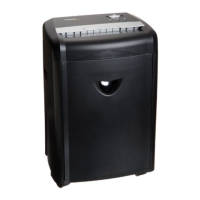

 To Next Page