14
Auto Feed mode:
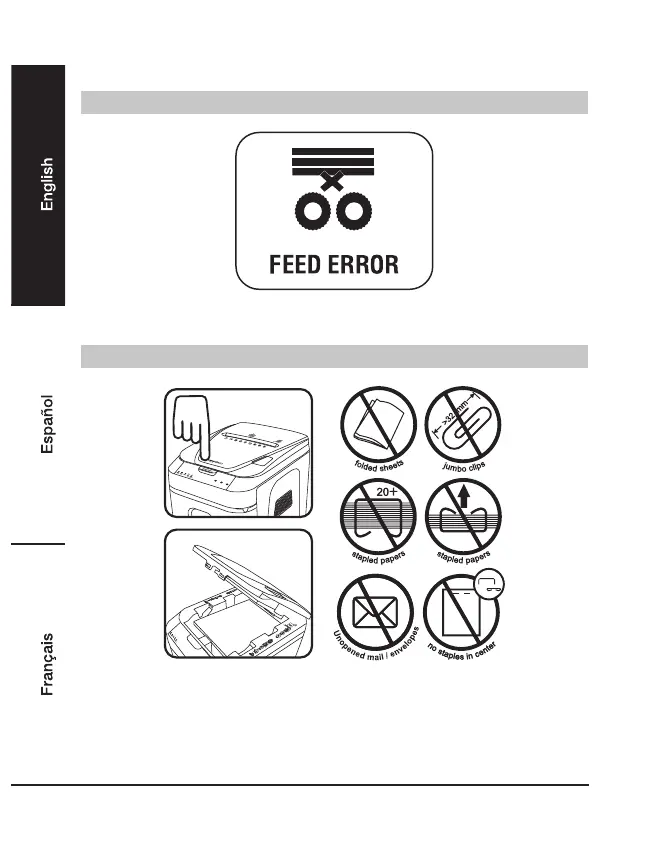
If the “Feed Error” icon is lit
• The Red LED light indicates the paper in the paper tray cannot be grabbed into the shredding
slot. Open lid to make sure the papers are unfolded and positioned properly.
Shredder is jammed
• Open lid, remove the remaining stack of paper and carefully pull the jammed paper out of the
cutters.
• Remove folded papers, staples and clips.
• Remove any materials with adhesive labels.
• Make sure papers are positioned properly. Staples must be placed in either top left or top right
of paper tray.


 To Next Page