Cleaning, maintenance and repairs
13.8 Pump
13.8.1 Checking the oil level
• Only use 20W30 branded oil or 15W40 multi purpose oil.
• Ensure the correct oil level. Damage may be caused both by the
oil level being too low or too high.
• Foam generation and cloudy oil are signs of a faulty pump mem-
brane.
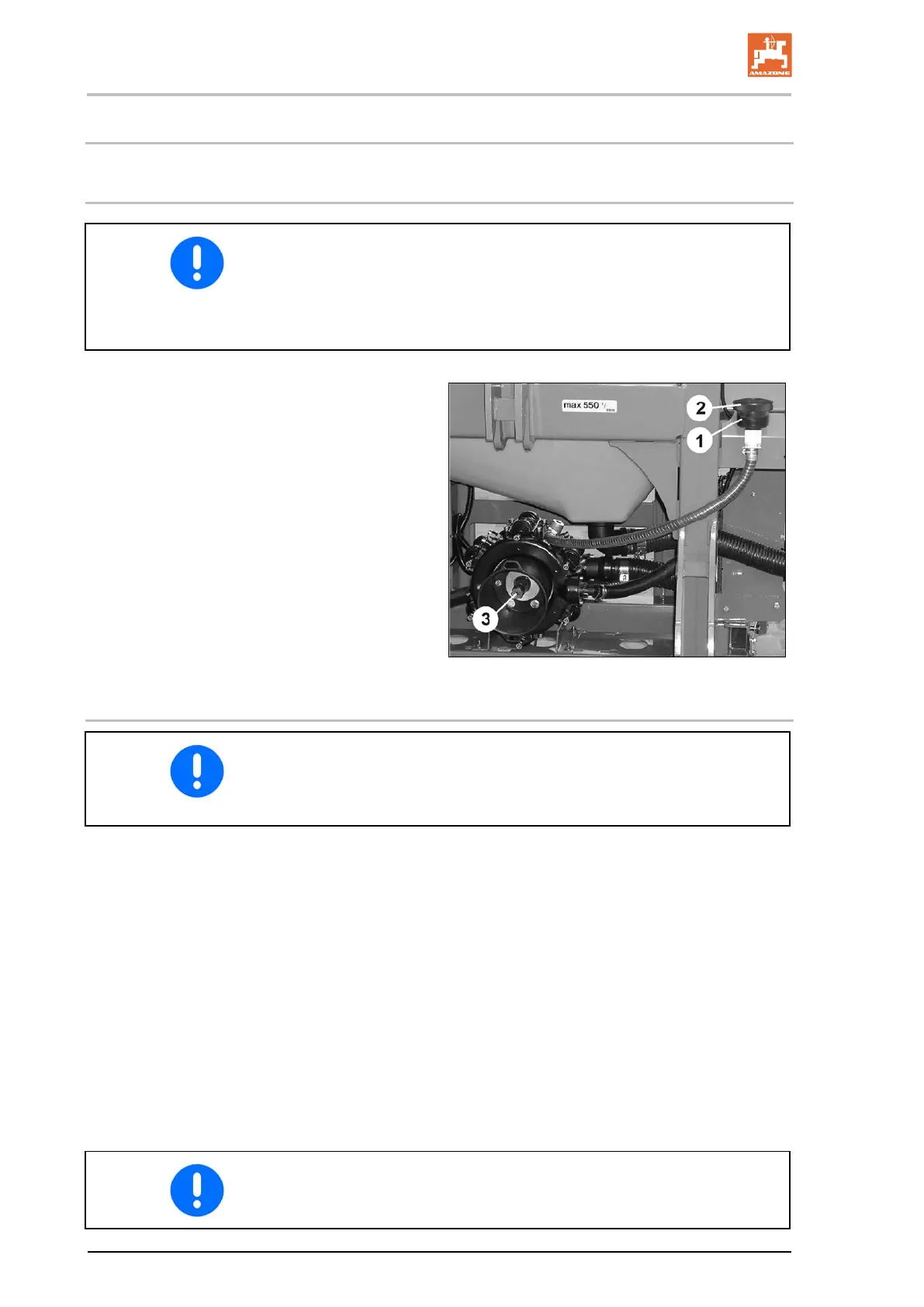
1. Check whether the oil level is visible at the
mark (Fig. 156/1) with the pump not running
and standing on a flat surface.
2. If the oil level is not visible at the mark (Fig.
156/1), remove the lid (Fig. 156/2) and top
up with oil.
148
13.8.2 Changing the oil
• Change the oil every 400 to 450 operating hours, or at least
once every year.
• After a few operating hours, check the oil level; top up if neces-
sary.
2. Remove the lid (Fig. 156/2).
3 Drain the oil.
3.1 Turn the pump on its head.
3.2 Rotate the drive shaft (Fig. 156/3) by hand until the used oil
has all run out.
The option also exists to drain the oil from the drain plug.
However, with this procedure a slight oil residue remains in
the pump; we therefore recommend the first approach.
4. Place the pump on an even surface.
5. Turn the drive shaft (Fig. 156/3) left and right alternately and
slowly fill with new oil. The right quantity of oil has been reached
when the oil is visible at the mark (Fig. 156/1).
After each use, thoroughly clean the pump by pumping clear fresh
water for several minutes.
190
UF BAG0012.11 04.19



 To Next Page