Technical Information
48
Precision Induction Heating
MBRELL
®
-
-
Using the Converter
With the converter attached to your EKOHEAT and your PC as instructed above,
Do this... Observe...
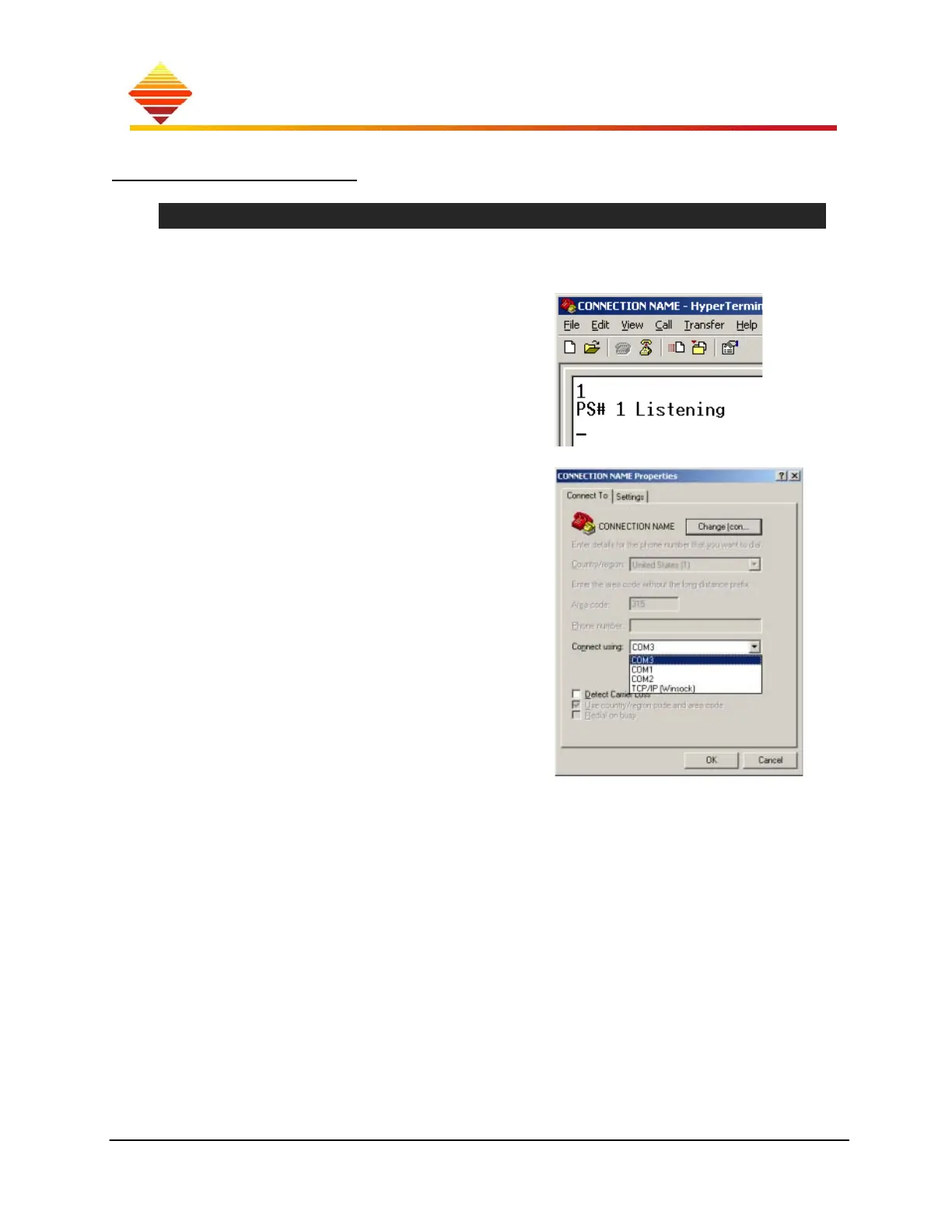
launch Hyper Terminal
Select File >> Open…
Select your connection, Open
dialog box listing ‘Connections’
type ‘1’ (or your device address) [ENTER]
EASYHEAT ‘replies’
If the EASYHEAT does not reply to this
command
select ‘disconnect’ at HyperTerminal
select Properties >> Connect To
select another available COM port
re-connect, re-try
refer to command set table, next page,
Notes:
EASYHEAT doesn’t read backspaces or
deletes; if you make a mistake, just
[ENTER] and re-try
EASYHEAT attends serial commands only
when the Home screen is displayed
to stop a continuous data display, type
1 [ENTER]
; that will halt the display



 To Next Page