Technical Information
39
MBRELL
-
-
Precision Induction Heating
3
3
C
C
u
u
s
s
t
t
o
o
m
m
i
i
z
z
i
i
n
n
g
g
Y
Y
o
o
u
u
r
r
E
E
A
A
S
S
Y
Y
H
H
E
E
A
A
T
T
You can control your EASYHEAT in different ways:
START / STOP can be controlled from the front panel or remotely
output level can be set from the front panel, remotely or with optional multi-
step profiles you specify
the state of your unit can be monitored remotely
your load can be efficiently matched to the output with RF tap settings
change capacitor when your coil design requires it
3
3
.
.
1
1
R
R
e
e
a
a
r
r
P
P
a
a
n
n
e
e
l
l
C
C
o
o
n
n
n
n
e
e
c
c
t
t
i
i
o
o
n
n
s
s
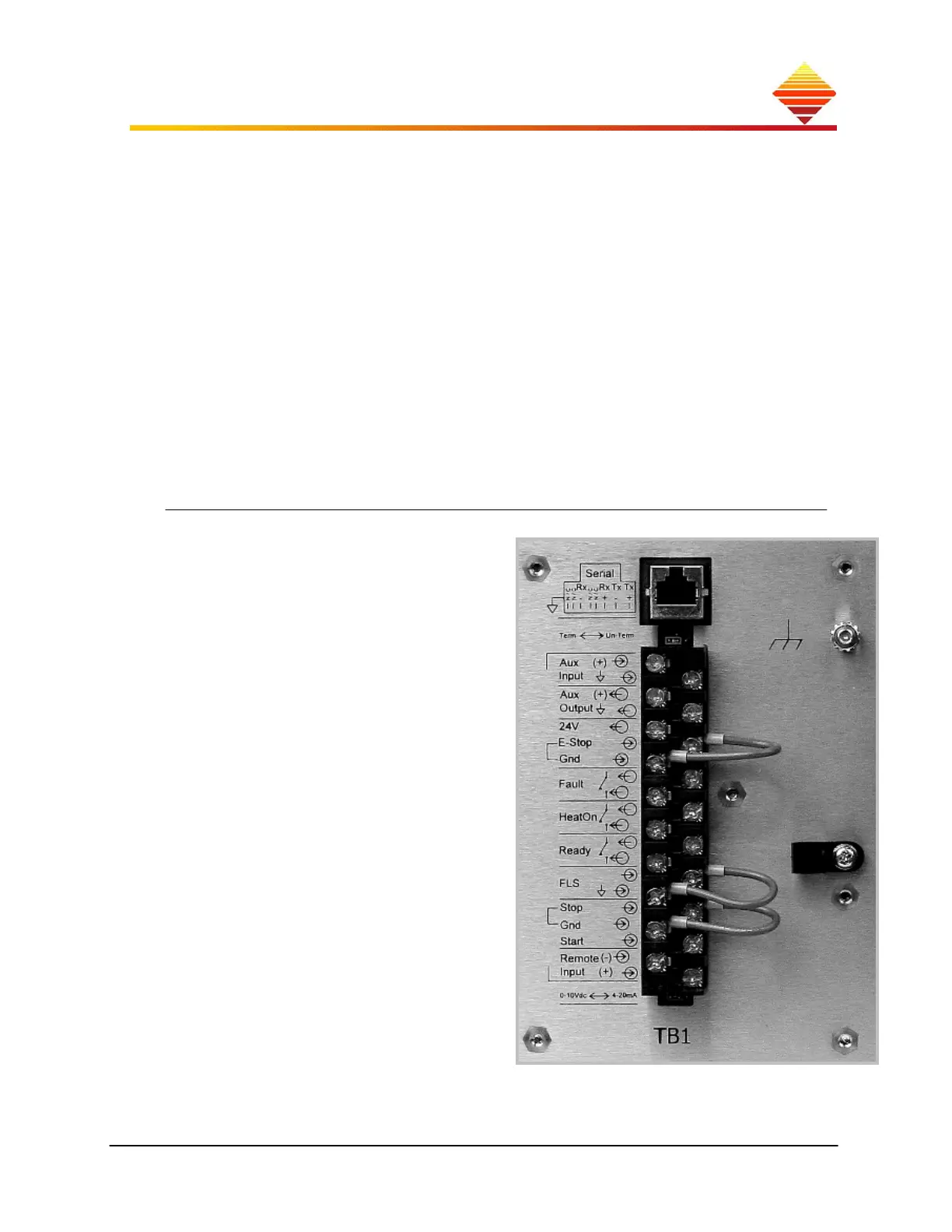
Remote operation of your EASYHEAT requires electrical connections at TB1 and – in
some cases — unit configuration from the touch-pad.
This terminal block is where you make all
hardware control and monitoring
connections to your EASYHEAT. All TB1
contacts are touch-safe (24Vdc or less).
The entire 20-pin terminal block can be
removed with all connections intact, easing
maintenance and equipment moving.
Three jumpers are attached and included
with your unit:
E-Stop > Gnd: this jumper is
required for RF operation; remove
this to insert your E-Stop switch.
Operation is interrupted when this
connection opens
Stop > Gnd: this jumper is
required for RF operation; enables
STOP from a pendant or your
equipment. Operation is
interrupted when this connection
opens
FLS: remove this jumper to attach
auxiliary (N.O.) flow-switch.
Operation is interrupted when this
connection opens.



 To Next Page