16
User’s manual
EN
USE AND OPERATION
OBLIGATIONS FOR USE
Important
-
When using the robot for the rst time, it is recommended to carefully read the entire manual and to
fully understand it, especially the safety information.
-
Only use the robot for the uses intended by the Manufacturer and do not tamper with any device to
obtain different performances.
-
Avoid using the robot and its peripherals in bad weather conditions especially when there is a risk of
lightning.
DESCRIPTION OF ROBOT COMMANDS
PLAY
ON
PAUSE
STOP
H
I
G
H
B
A
T
T
E
R
Y
L
O
W
B
A
T
T
E
R
Y
OFF
(D)
PLAY
ON
PAUSE
STOP
H
I
G
H
B
A
T
T
E
R
Y
L
O
W
B
A
T
T
E
R
Y
OFF
(C)
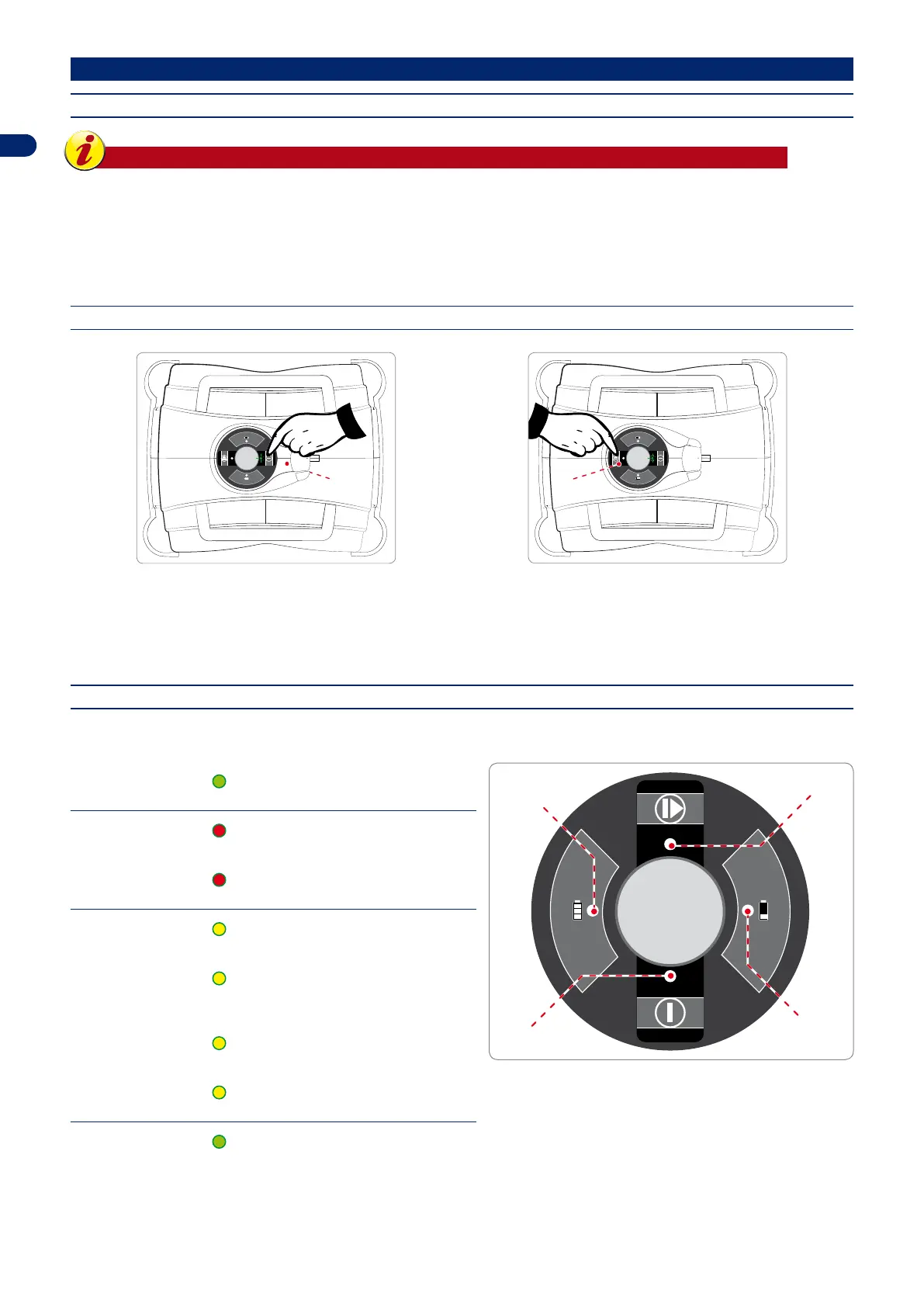
The illustration shows the position of the commands on the machine.
D. ON/OFF: press to turn the robot on and off.
C. PLAY/PAUSE: press to start or stop the robot when it is on standby.
MEANING OF LED COMBINATIONS
IN OPERATION ROBOT
A. HIGH BATTERY:
(GREEN LED STEADY ON)
full battery level.
PLAY
OFF
ON
PAUSE
STOP
H
I
G
H
B
A
T
T
E
R
Y
L
O
W
B
A
T
T
E
R
Y
(A)
(B)
(C)
(D)
B. LOW BATTERY:
1
(RED LED 1 FLASH)
medium battery level.
(RED LED STEADY ON)
low battery level.
C. PLAY/PAUSE:
(YELLOW LED STEADY ON)
in pause / in pause due to low battery.
(YELLOW LED SLOW FLASHING)
Robot in standby. Press the PLAY/PAUSE
key to display the status of the LEDs.
1
(YELLOW LED 1 FLASH)
the lawn has been mowed.
2
(YELLOW LED 2 FLASHES)
no lawn present.
D. ON/OFF:
(GREEN LED STEADY ON)
robot in operation.


 To Next Page