18
User’s manual
EN
START-UP VIA APP
The robot has a built-in Bluetooth device that allows it to be programmed and controlled via a smartphone.
Download the application from Google Play or the Apple Store using your smartphone or tablet. Start the application and follow
the wizard to pair the Robot to your device.
The factory set PIN is “0000.” Change the PIN as soon as possible to make the robot safe.
The application allows you to:
•
start and stop the robot;
•
delay the start of the robot;
•
guide the robot during the mowing cycle;
•
change the status of the sensors;
•
display the status, alarms and any errors.
OPERATION WITH DELAYED START
If necessary, the robot can be delayed to start by up to 24 hours.
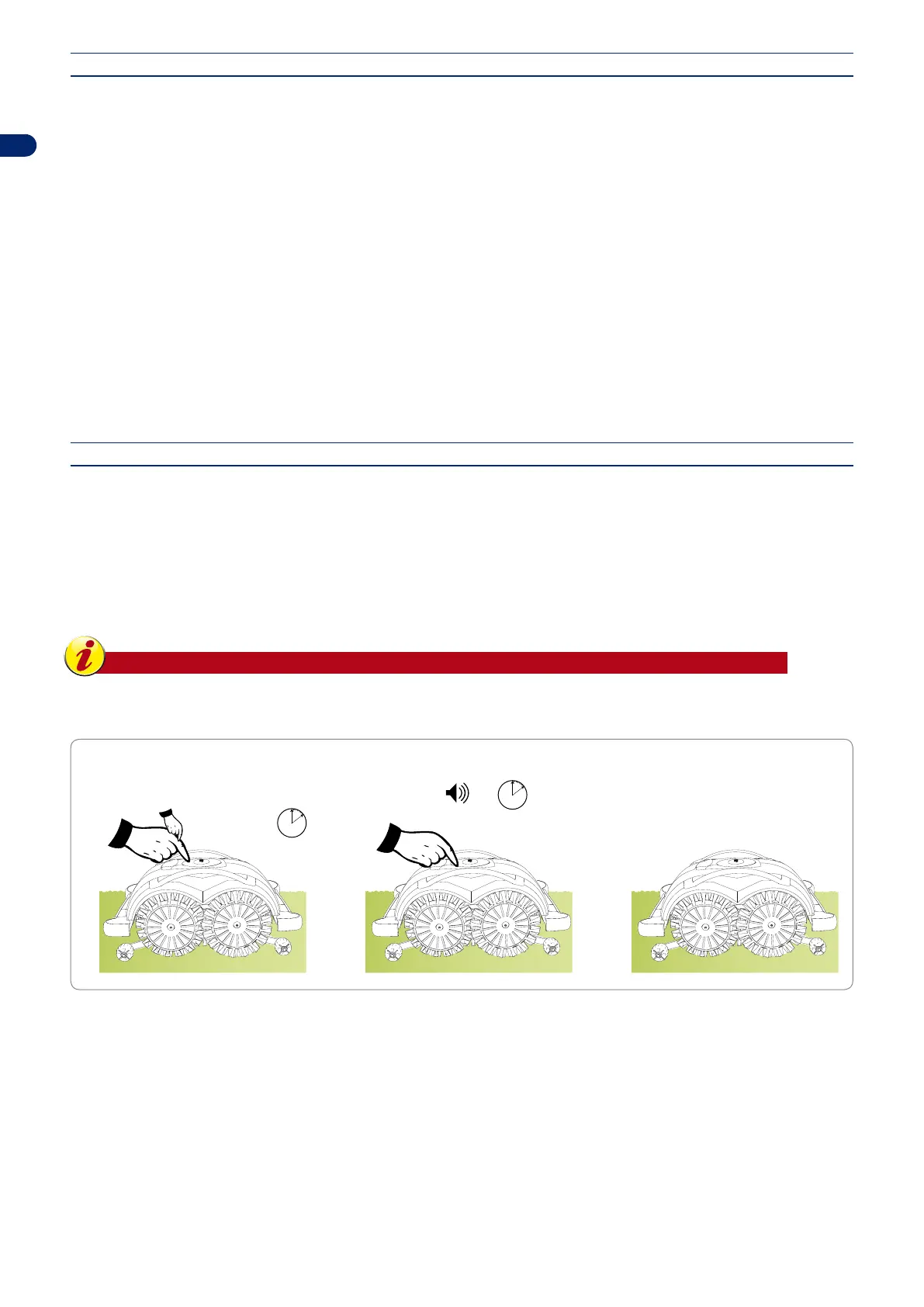
Press the “OFF/ON” button. After a few seconds the robot switches completely on. Press briey the “OFF/ON” button at intervals
of 1 second, as many times as the hours of delay of departure.
On completion of the sequence, wait for the robot to conrm the delay setting with the sound of a beep.
The robot will be in standby until the working cycle resumes the established time.
Important
In case of errors, turn off the robot by keeping the “ON/OFF” button pressed, and resume the start-up sequence.
OPERATION WITH DELAY OPERATION
With the robot in PAUSE mode,
press the “ON/OFF”
button for each hour of delay
The Robot goes into STAND-BY
waiting for the preset departure time
Wait
Press “PLAY/PAUSE”
e.g. 4 times
=
4 hours
4 beeps
=
4 hours


 To Next Page