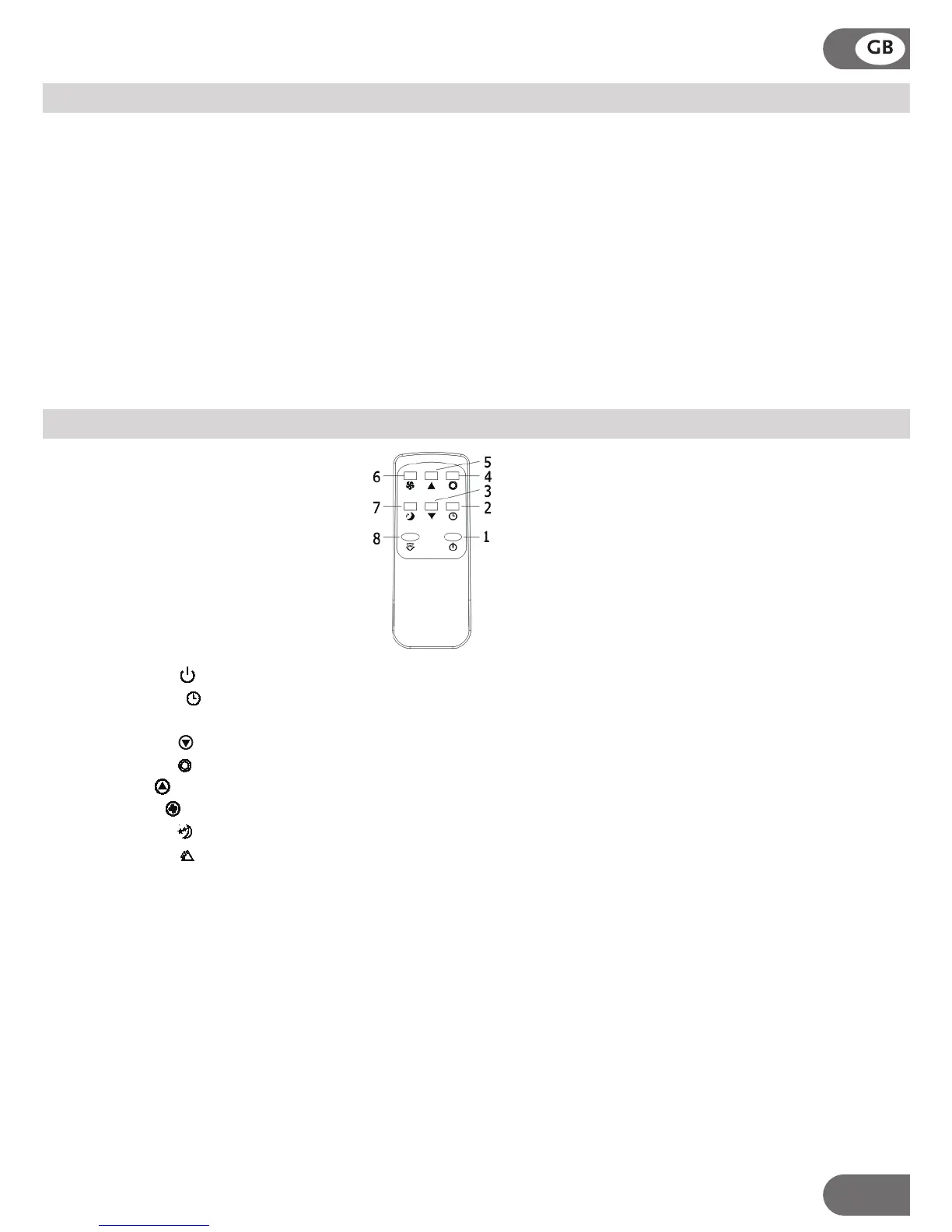
REMOTE CONTROL
1. Power :Press this key to turn the unit on/off.
2. TIMER :Press this key to set time. Once set, selected time will flash 5 times as confirmation.
Under power-on or standby mode, press this key to setup on/off time from 1~24.
3. Down :Press this key to turn down the temperature.
4. Mode :Press this key to choose cooling, heating(optional), dehumidifying or fan mode
5. Up :Press this key to turn up the temperature.
6. Fan :Press this key to set low/medium/high fan speed.
7: Sleep :(Only in cooling function):Press this key to enable sleep mode.
8: Swing :Press this key to control swing function.
The air conditioner responds to all signals that are sent by the remote control.
Two AAA-batteries are required to use the remote control.
Note: the air flow direction can not be adjusted with the remote control.
Important:
There is a 3 minutes delay on power on. In order to protect the life of the compressor and
electronic components please do not switch on the unit for at least 5 minutes after you
turned the unit off.
7
FEATURES AND OPERATION
Sleeping Mode
Swing mode
After machine turns on, press this key, the louver will swing continuously left and right; by pressing the
button again the movement will stop and the louver remain in that position.
While in cooling pressing key “SLEEP” enters into sleeping mode with default value of fan speed on low.
It will automatically increase the temperature setting with 1
℃ after an hour and readjust to a 2℃ increase
after 2 hours..
Sleeping function is not operational under dehumidifying and fan mode. Under water full, machine standby
and mode change, sleeping mode will be cancelled.
Compressor protection
There is a 3 minutes compressor start delay after power on or restart.



 To Next Page