13
Emptying the Internal Water Container
Note: There are two instances where draining the internal water container may be recommended:
1. In the unlikely event that the Container Full Light on the LCD display flashes
2. Prior to storage of unit.
When the internal water container is full, the back light on the LCD display flashes.
The unit will shut off automatically, and must be drained before it will restart.
To Drain the Unit:
• Switch off the unit and remove the plug from the wall socket.
• DO NOT MOVE THE UNIT. Doing this can result in water
leakage, damaging your floor or carpet.
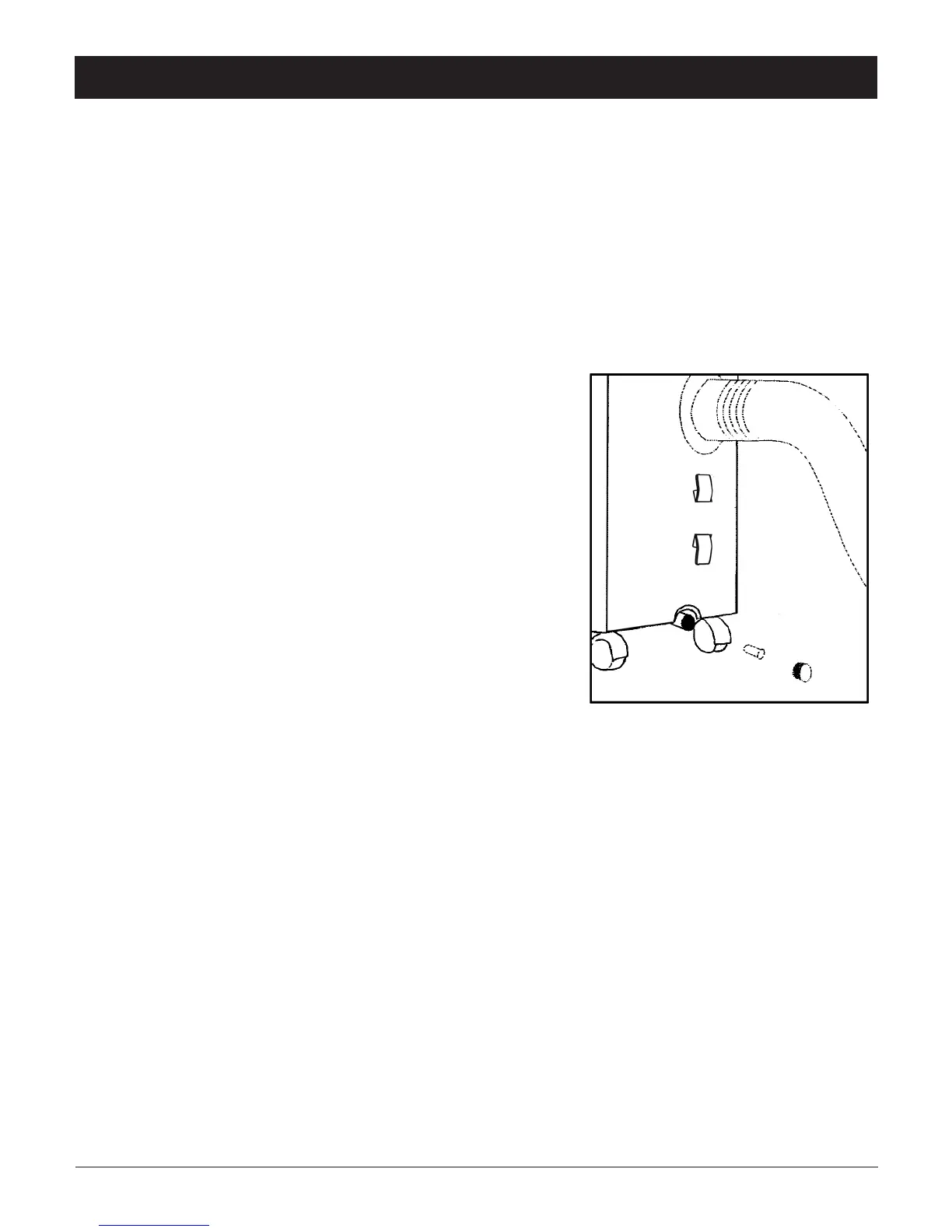
• Place the drain pan on the floor under the drain cap.
• Remove the drain cap and the rubber stopper from the
drain, and let the water run out. Partially fill the drain pan,
replace the rubber stopper, and empty the drain pan.
This procedure must be repeated until the unit is empty.
• Replace the rubber stopper and drain cap.
Put plug into the wall socket, and switch the unit on.
The warning signal should be off.



 To Next Page