9. Amcrest Link Mobile App Setup
The Amcrest Link app is available for both Android and iOS. There are two versions of the app,
Amcrest Link, and Amcrest Link Pro. The Pro version contains some features that the regular
version does not.
For purposes of this guide, we will use the Android mobile operating system, though both apps
have the same interface.
1. Download and Install either the Amcrest Link app from the app store.
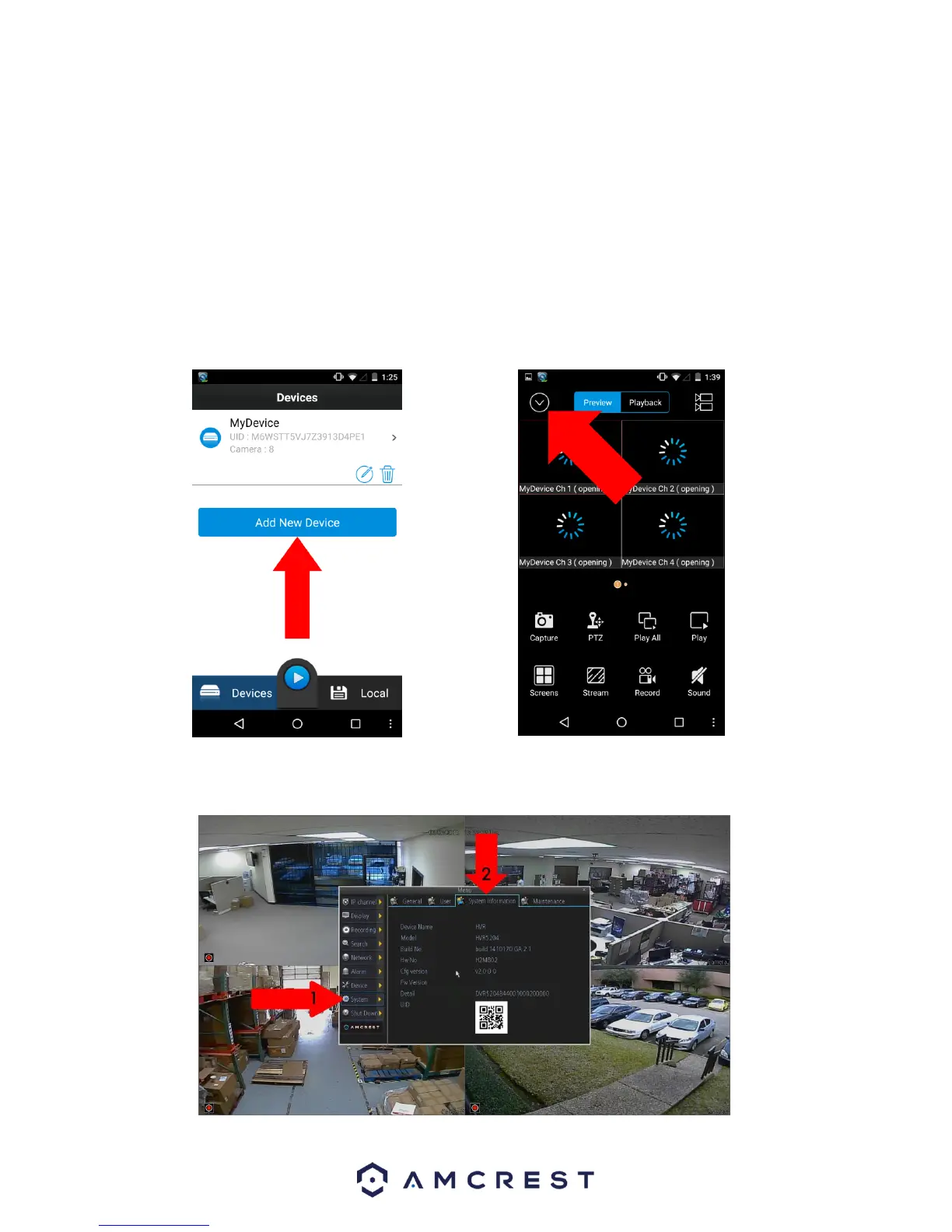
2. Open the app, and tap the “Add New Device” button OR if you already have a device
added, click the icon in the top left hand corner.
3. Go to your DVR, and open the main menu.
4. From the main menu, go to Settings -> System Information.



 To Next Page