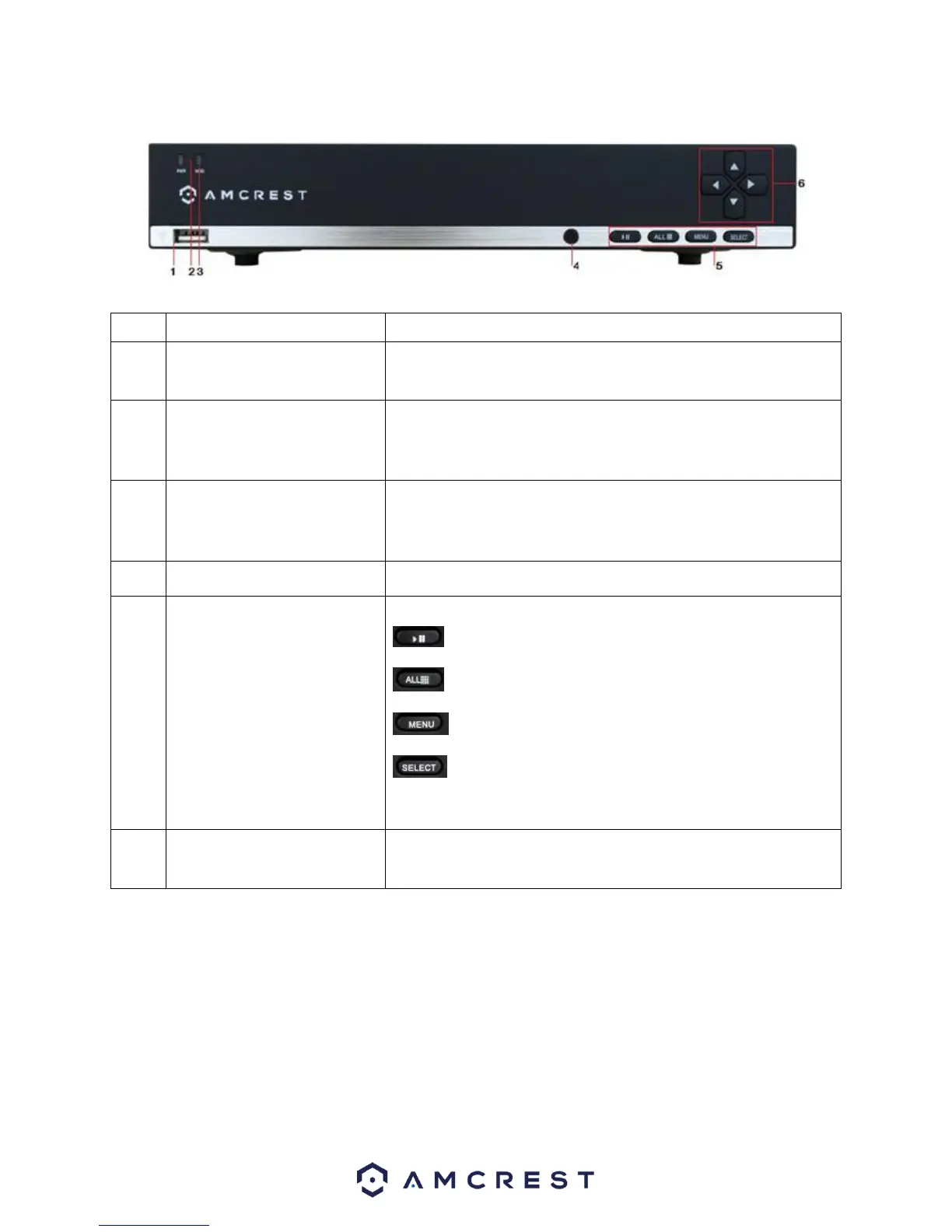
2. Front Panel
Please refer to the following chart for information on the front panel buttons.
To connect USB storage devices or USB mouse.
POWER indicator light turns on when the DVR is powered on.
HDD indicator lights up when the hard drive is active and
flashes rapidly when recording.
a) Play / Pause button is used for playback control.
b) ALL button is used to live-view all the channels.
c) Menu button is used to toggle the main menu.
d) Select button is used to confirm selection in any of
the menu modes.
DIRECTION buttons are used to navigate between different
fields and items in menus. In Preview mode, these buttons can
be used to cycle through channels.



 To Next Page