4. Hardware Setup
Before setting up the 960H DVR, you will probably need the following items. The items are not
included:
A computer monitor or TV with either an HDMI or VGA input
A power strip with room for 4 large power plugs
Note: It is recommended to connect all components of the system as shown below BEFORE
mounting any of the cameras. This is to ensure all components are working. If any components
are not functioning, please contact Amcrest Support.
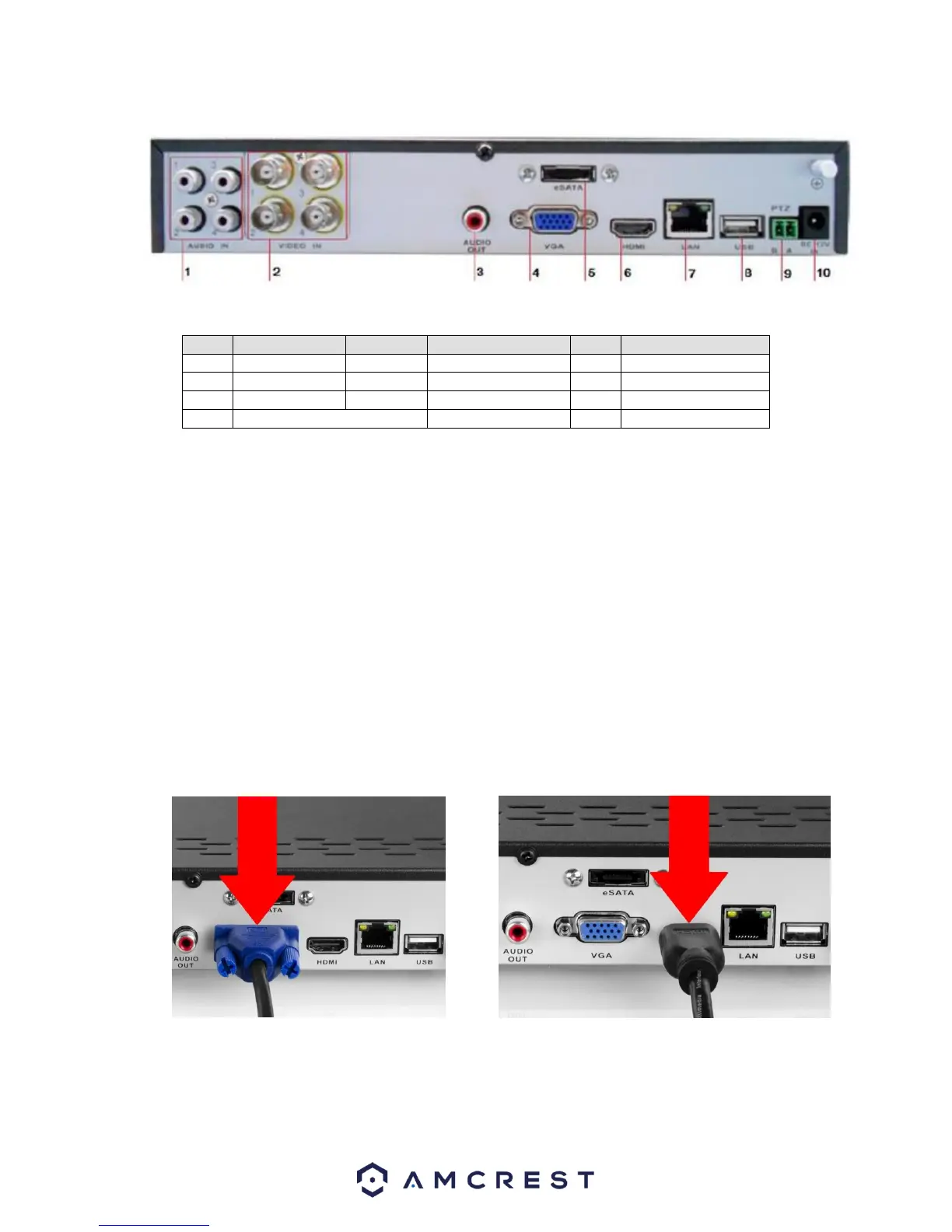
To set up the DVR hardware, there are 7 major steps:
1. Connecting a monitor to the DVR. The DVR is compatible with any monitor that uses a
VGA or HDMI connection. For purposes of this guide, we will use a VGA connection.



 To Next Page