45
SD Card
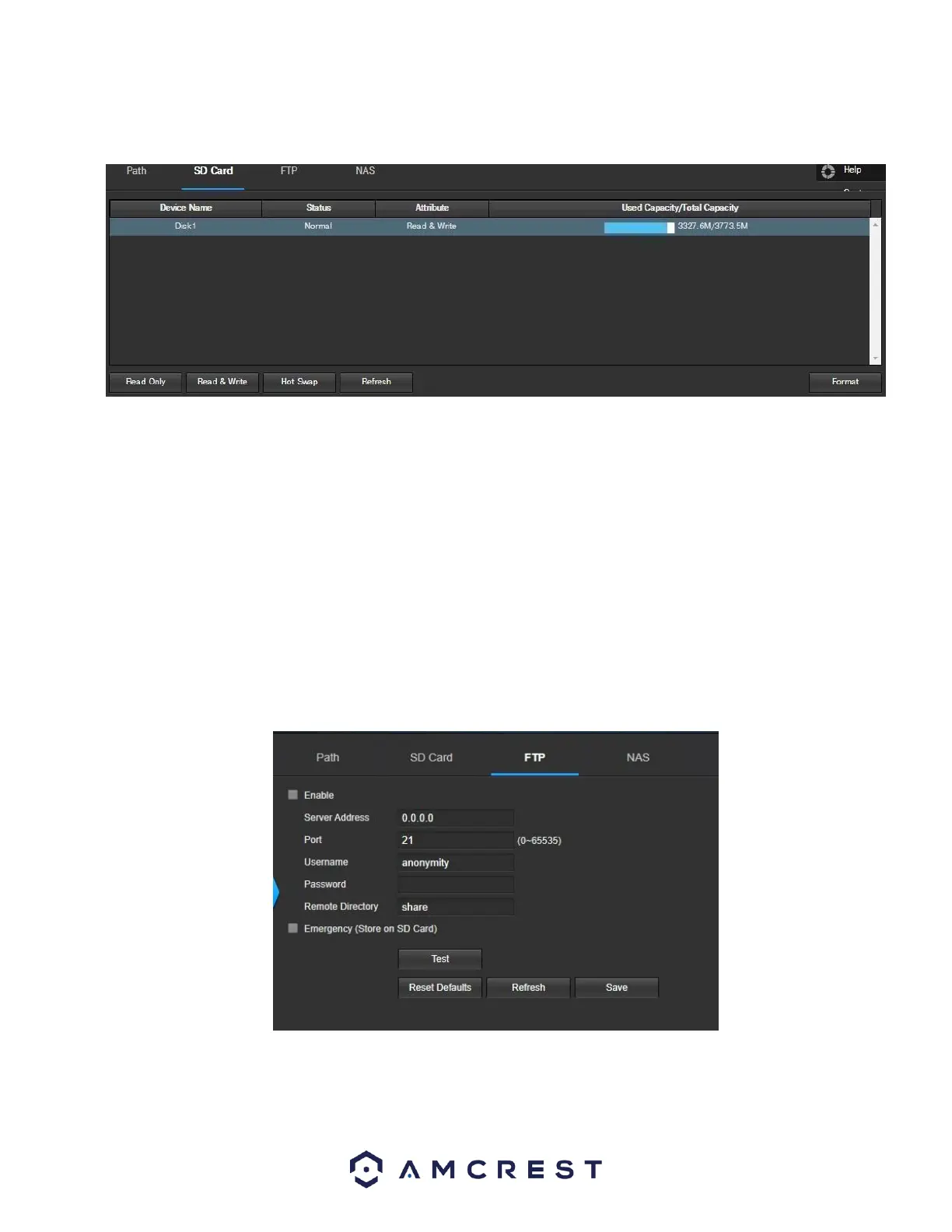
This tab is where the user can change SD card settings. Below is a screenshot of the SD Card tab:
Below is an explanation of the fields on the SD Card settings tab:
• Device Name: This column designates the name of the SD card that is currently in the camera.
• Status: This column designates the status of the SD card.
• Attribute: This column designates the read/write attributes for the SD card. By default, this is Read &
Write.
• Used Capacity/Total Capacity: This column shows the available memory on the SC card. Read Only: This button allows the user
to designate an SD card as read only.
Read & Write: This button allows the user to designate an SD card to read and & write privileges.
• Refresh: This button refreshes the SD card table.
• Format: This button formats the SD card.
FTP
This tab is where the user can change FTP settings. Below is a screenshot of the FTP tab:
Below is an explanation of the fields on the FTP settings tab:
• Enable: This checkbox allows the user to enable FTP uploading for the camera’s recorded media.
• Server Address: This field allows the user to designate a DDNS address for the FTP server.
• Port: This field allows the user to designate the port number for the FTP server.















 To Next Page