6
Installation Guide
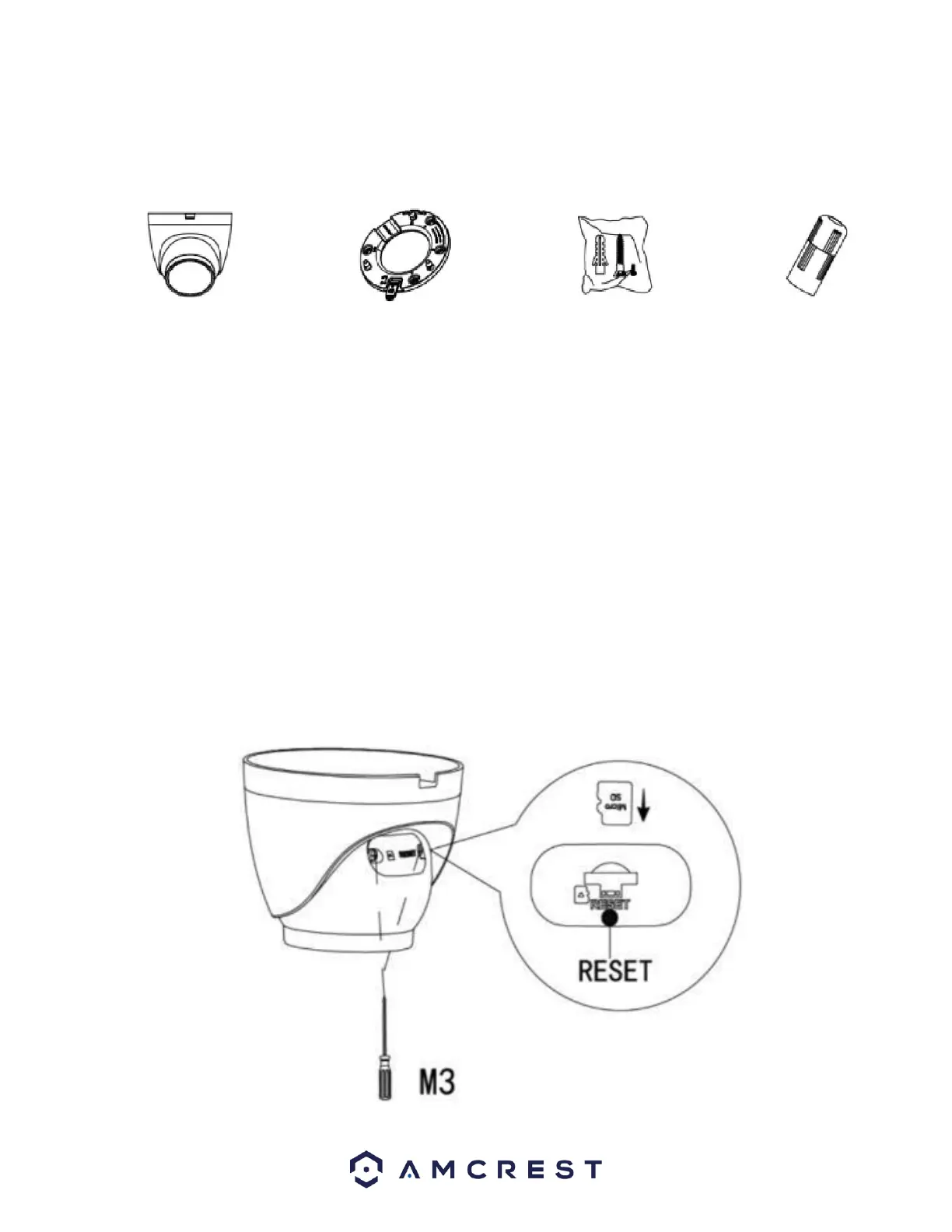
The camera will come with the included items which are needed for the physical installation of your camera.
What's Included?
• The camera
• The Installation Bracket
• An Installation template (sticker)
• Pack of wall anchors and screws
• Ethernet cable protectors
Tools needed for the job
• A Phillips head screwdriver
• A drill
• A 1" Paddle bit (Optional)
• An Ethernet cable
Inserting a MicroSD card
The camera is compatible with a microSD card, class 10 or higher, with a max storage capacity of 256GB. To insert a microSD card, use
a Phillips head screwdriver to remove the microSD card/reset button hatch. Locate the microSD card slot and insert your microSD
card. Press and release to secure the card inside the camera. Place the hatch back onto the camera and secure using your Phillips
head screwdriver.















 To Next Page