8
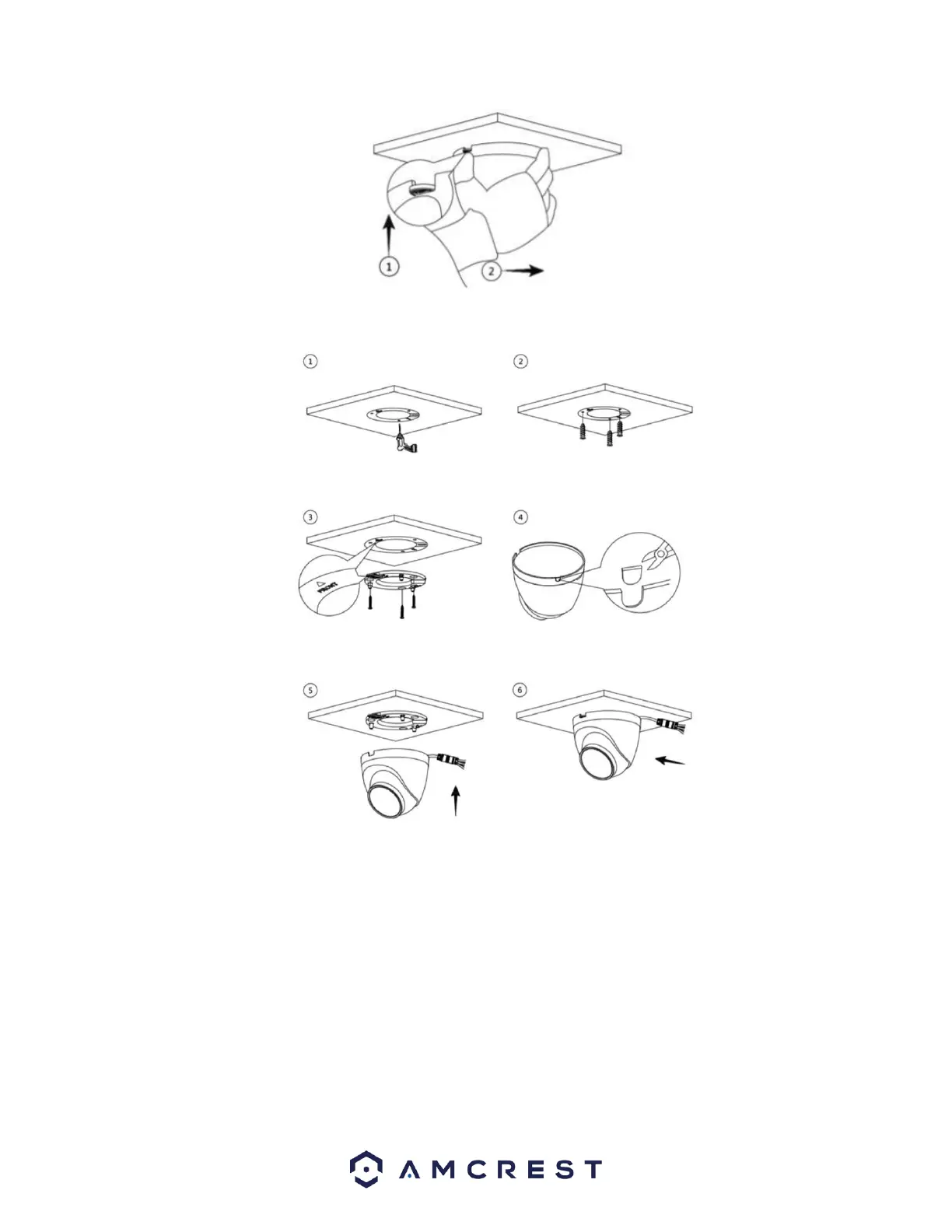
Installation Cable Through the Side Cable Tray
Step 1: Place the installation template sticker on the mounting surface. Then, using a drill, drill 3 installation holes.
Step 2: Place the included wall anchors into the installation holes.
Step 3: Align the holes on the installation bracket to the installation holes. Also make sure to align the "Front" and "Up" portions of
the bracket to the installation sticker.
Step 4: Remove the side cable tray insertion piece on the camera and insert the cable making it flush to the bottom bracket surface.
Step 5: Align the “Front” tab of the installation bracket to the notch on the camera insert the camera and move forward to secure the
camera to the installation bracket.















 To Next Page