5
IMPORTANT: Due to specific hardware limitations within your camera it is important to note that these devices will not be able to
automatically pan/tilt or pivot in either the app or via the web UI on a computer. For this reason, it is imperative to make sure to
mount the cameras properly and position them as efficiently as you can to the areas you wish to monitor. All positioning actions to
the camera will have to be performed manually.
2 Device Overview
The image below shows the structure of the camera:
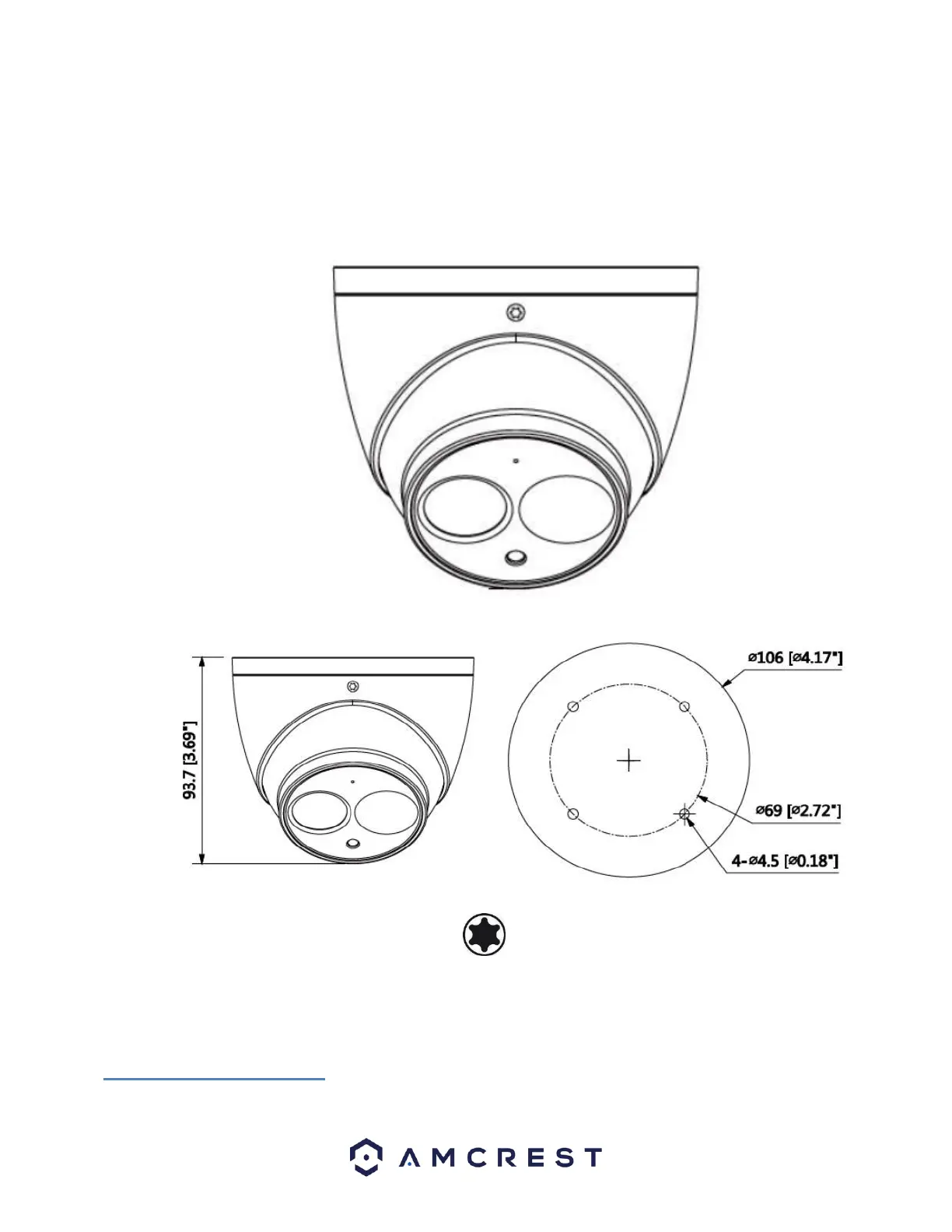
The images below show the dimensions for the camera. The measurements are in millimeters
(mm):
To access the reset button and to adjust the camera angle, use a Torx/Hex wrench to open the camera assembly by removing the
3 screws.
For reference, a Torx/Hex screwdriver tip looks like this:
3 Connection & Installation
This section provides information about the connection and installation of your camera.
3.1 Connection Guide
The camera initially should be connected via the following method:














 To Next Page