71
5.3. Cloud Storage
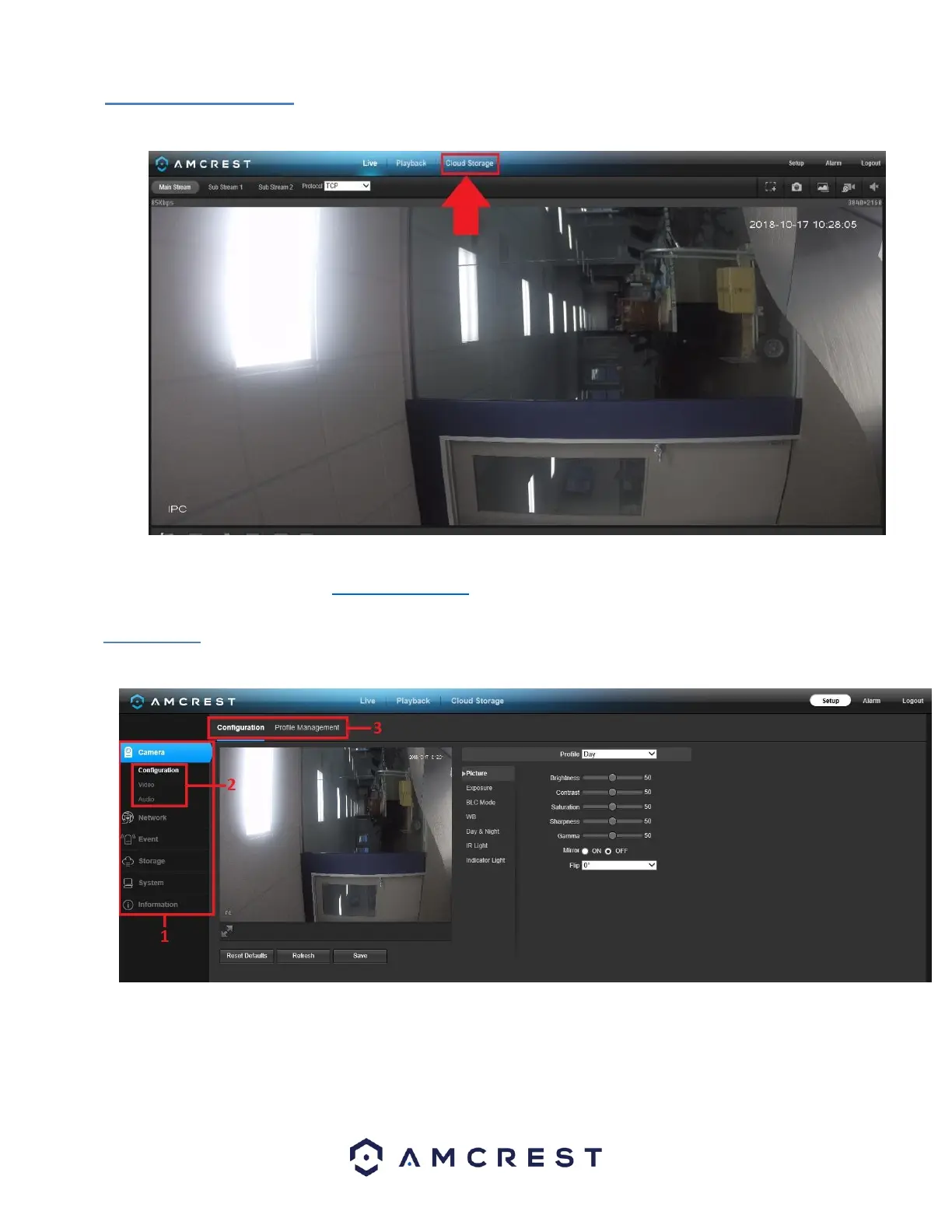
The Cloud Storage tab allows the user quick access to the Amcrest Cloud website.
At this website (amcrestcloud.com) users can register for new accounts as well as view or modify existing accounts. For more
information on Amcrest Cloud visit: amcrest.com/support
5.4 Setup
The Setup tab allows the user to change different camera settings. Below is a screenshot of the setup tab:
There are 3 main sections to note in the Setup tab:
1. Menu Bar: The menu bar is composed of menu sections, which when clicked display any menu items that fall under their category.
2. Menu Items: These menu items each open a different menu that allows the user to change specific settings for the camera.
3. Menu Tab: These tabs open menu options for certain menu items.














 To Next Page