76
5.4.1.6. IR Light
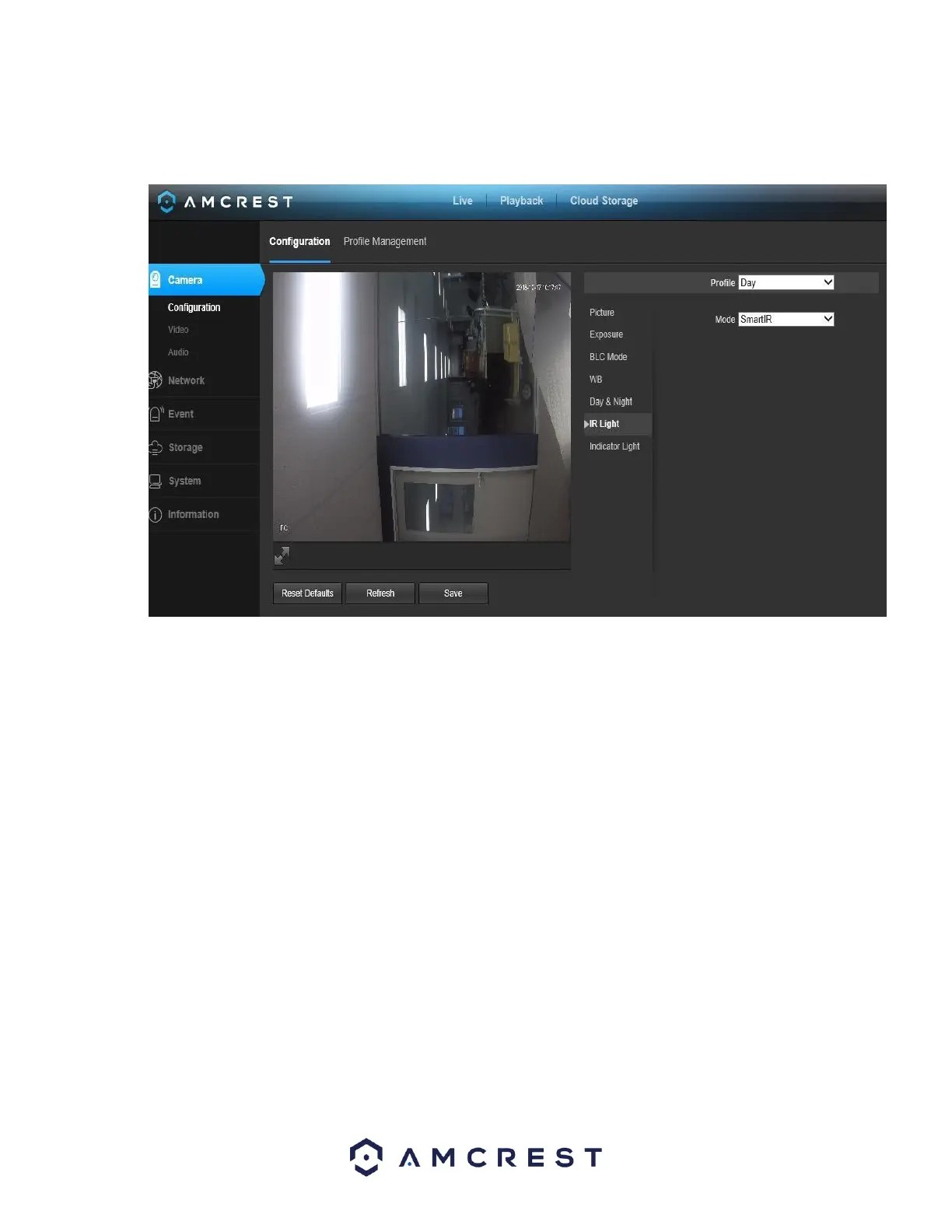
This menu allows the user to select whether the IR lights for night vision are on or off for the selected profile. Below is a
screenshot of this menu:
• Profile: This dropdown box allows the user to select which profile to modify. The 3 options are Day, Night, and Normal.
• Mode: This dropdown box allows the user to select whether to turn the indication light on or off. SmartIR can also be set to
automatically set the camera’s IR lights to on and off positions based on Day & Night conditions. This setting is usually set by
default within the camera.
To reset to default settings, click the Reset Defaults button. To refresh the screen, click on Refresh. To save the settings, click the
Save button.
5.4.1.7. Indicator Light
This menu box allows the user to select whether the indicator light in the camera is on or off for the selected profile. Below is a
screenshot of this menu:














 To Next Page