94
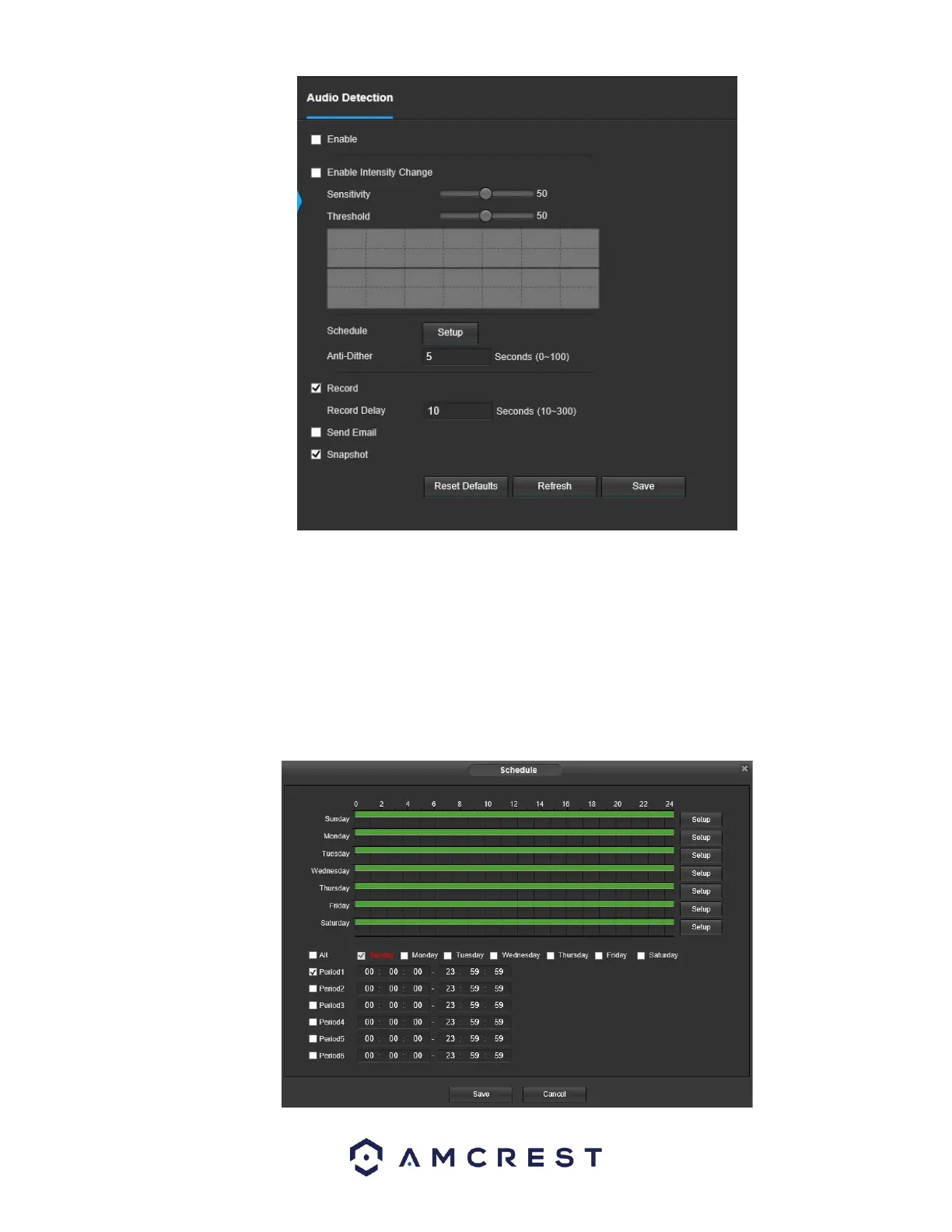
● Enable: This checkbox enables an audio detection alarm for the camera. Enable Intensity Change: This checkbox enables intensity
change for the camera audio. o Sensitivity is the amount of change required to increase the audio detected by a percentage. The
lower the sensitivity, the more audio variance is required to trigger an alarm.
● Enable Intensity Change: This checkbox enables the user to adjust sensitivity and threshold settings for audio detection.
o Sensitivity: The higher the sensitivity, the more likely that audio will trigger an alarm.
o Threshold: The lower the threshold, the more likely that audio will trigger an alarm.
● Schedule: Clicking this button opens a weekly schedule that can be used to set times.


 To Next Page