36
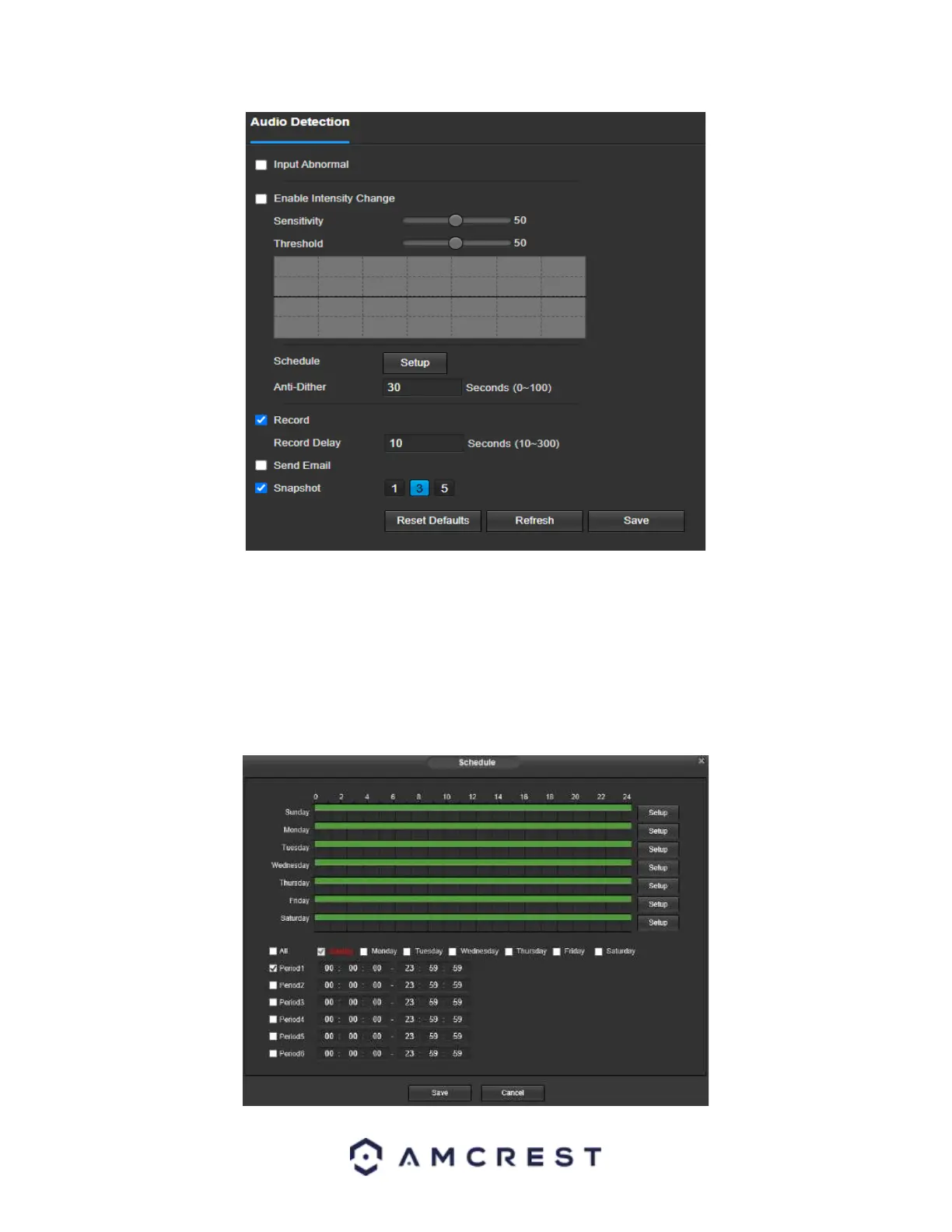
Enable: This checkbox enables an audio detection alarm for the camera. Enable Intensity Change: This checkbox
enables intensity change for the camera audio. o Sensitivity is the amount of change required to increase the audio
detected by a percentage. The lower the sensitivity, the more audio variance is required to trigger an alarm.
Enable Intensity Change: This checkbox enables the user to adjust sensitivity and threshold settings for audio
detection.
o Sensitivity: The higher the sensitivity, the more likely that audio will trigger an alarm.
o Threshold: The lower the threshold, the more likely that audio will trigger an alarm.
Schedule: Clicking this button opens a weekly schedule that can be used to set times.














 To Next Page