55
• Once the firmware file has been imported, click Upgrade.
• The device will reset, return to the web user interface. The upgrade is now complete.
Note: When upgrading the camera’s firmware, do not disconnect the internet or power from the camera.
Information
This menu section allows the user to view information about the camera for reference purposes.
Version
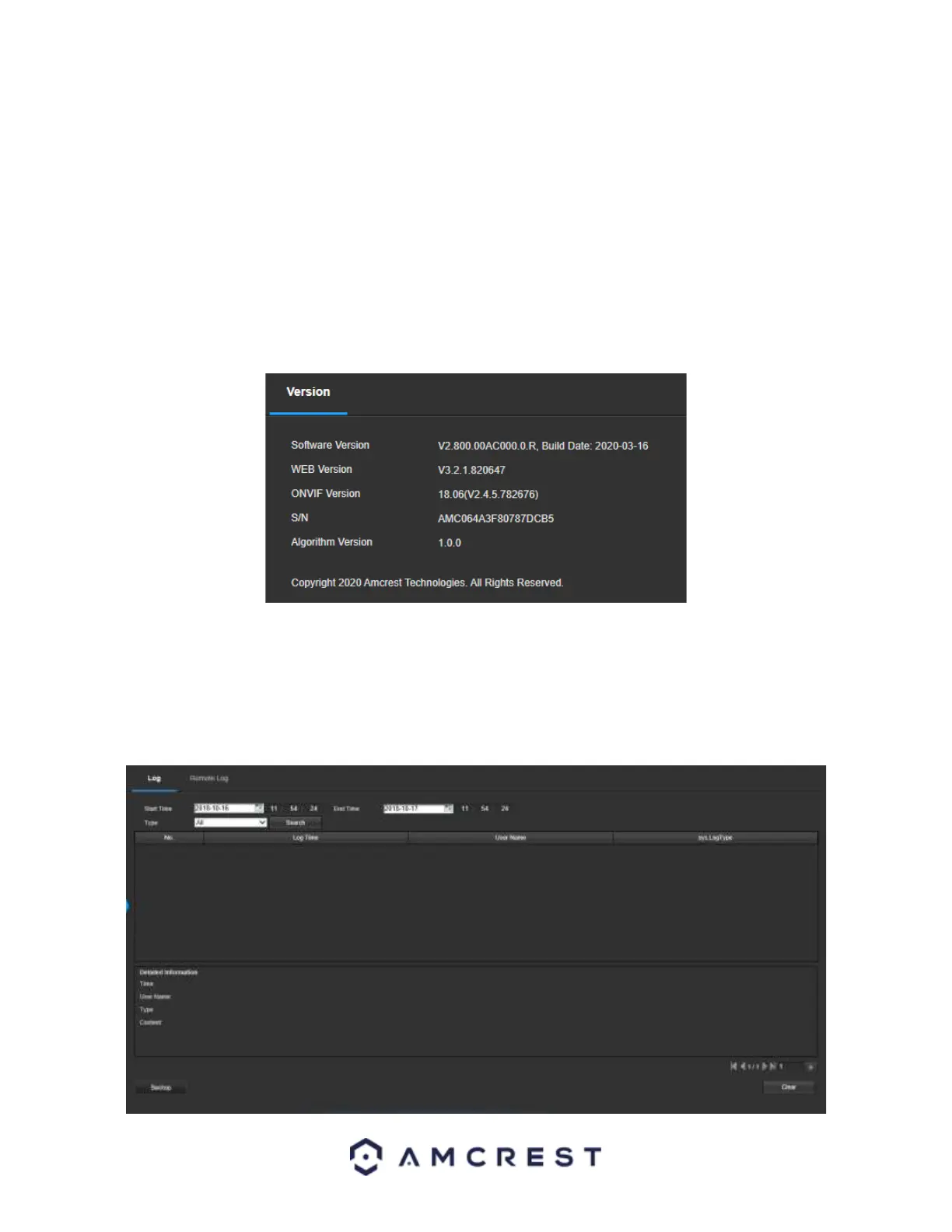
This screen allows the user to see various information about the camera’s software versions, as well as other
information. Below is a screenshot of the camera’s version screen:
On this screen, software version, web interface version, and ONVIF version are displayed. Also, the S/N (Token ID)
is displayed here.
Log
This screen is where the camera’s activity log is kept. Below is a screenshot of the Log screen:














 To Next Page