Need help?
Do you have a question about the AMD R7 250 and is the answer not in the manual?
Lists trademarks and registered trademarks of AMD and other companies.
Details the minimum hardware and software requirements for installing a single AMD Radeon R7 240/R7 250 graphics card.
Specifies the minimum requirements for setting up an AMD CrossFire configuration with an additional graphics card.
Explains the importance and location of serial and part numbers for product registration and support.
Provides a high-level overview of the steps involved in installing the graphics card and its associated software.
Details the physical installation process of the graphics card into the computer's motherboard slot.
Guides the user on how to download and install the latest AMD drivers and configuration software.
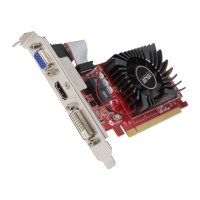
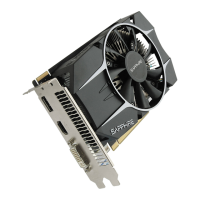
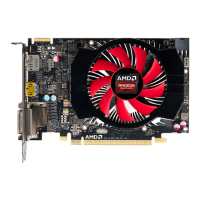
Illustrates and describes the various display connectors available on the graphics card, such as HDMI, DisplayPort, and DVI.
Explains the use of adapters and dongles for connecting displays that require different connection types than those available.
Discusses support for multiple displays and configuration methods like daisy-chaining or using hubs via DisplayPort v1.2.
Provides a step-by-step procedure for connecting a display to the graphics card using an adapter.
Introduces AMD CrossFire technology, its purpose in enhancing graphics performance, and typical configurations.
Details the procedure for installing a second compatible graphics card to enable AMD CrossFire functionality.
Explains how to enable and configure AMD CrossFire settings using the AMD Catalyst Control Center software.
Describes the AMD Catalyst Control Center application, its interface, and common configuration tasks for graphics products.
Provides instructions on how to launch the Control Center application on Windows and Linux operating systems.
Explains how to access and use the context-sensitive help system within the Control Center application for detailed information.
Offers troubleshooting guidance for common issues encountered with graphics card installation, operation, and features.
Addresses specific problems and solutions related to the physical installation of the graphics card into the system.
Provides solutions for common issues encountered when using AMD CrossFireX, including BIOS settings and memory configurations.
Offers troubleshooting tips for problems related to connecting and using HDTVs and monitors with the graphics card.
Details how to contact AMD Customer Care for support, including website resources and contact information.
Presents compliance information required by various international regulatory bodies, such as FCC, CE, and VCCI.
 General
| GPU Architecture | GCN 1.0 |
|---|---|
| GPU Codename | Oland |
| Process Size | 28 nm |
| Shader Units | 384 |
| Shader Model | 5.0 |
| Power Consumption | 65W |
| Outputs | DVI, HDMI, DisplayPort |
| Max. Resolution | 4096x2160 |
| Memory Size | 1 GB / 2 GB |
| Memory Type | GDDR5 |
| Memory Bus | 128 bit |


 To Next Page