Chapter 6
Using Catalyst Control Center
Catalyst Control Center Overview
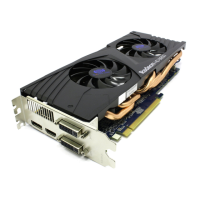
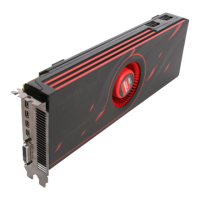
Catalyst Control Center provides access to the display features of your AMD Radeon
HD 6950/6970 graphics card. Use the software to fine-tune graphics settings, enable or
disable connected display devices, and change the orientation of the desktop. Many
features display previews of the changes before they are applied.
The following configurations are available:
Basic View
A simplified view of the features that includes wizards to quickly make changes.
Advanced View
A powerful interface that enables complete configuration of the feature set of the
graphics card.
Custom View
A customized view so that desired features can be accessed quickly.
For information on the individual features of the software, access the comprehensive
in-program help system (see Accessing Catalyst Control Center Help or visit the AMD
Customer Care Web site at http://ati.amd.com/support/).
Starting Catalyst Control Center
The following table shows the ways you can start Catalyst Control Center:
Table 6–1 Catalyst Control Center Access Routes
Access Route Instructions
Windows Desktop 1. Right-click anywhere on the desktop.
2. From the shortcut menu that appears, click Catalyst Control Center.
Windows Start Menu 1. Click Start on the Windows task bar.
2.
Select All Programs ▷ Catalyst Control Center.
Windows Notification
Area
1. Right-click the Catalyst Control Center icon in the Windows Notification
Area.
2. From the shortcut menu, click Catalyst Control Center.
Desktop Shortcut When you installed the Catalyst Control Center, the setup wizard provided
you with the option of placing a shortcut on the desktop. If you chose this
option, you can double-click the Catalyst Control Center desktop shortcut.
© 2010 Advanced Micro Devices, Inc. AMD Radeon™ HD 6950/6970






 To Next Page