INSTALLATION AND OPERATING INSTRUCTIONS
72-0113 08-03-18 4211-149 7014363 314 SYRA 77 D
Page 4
Calendar Screen Options
SECTION 2: PREMIUM/A60 CONTROL (1601-33 or 1601-33-1) OPERATION, Continued
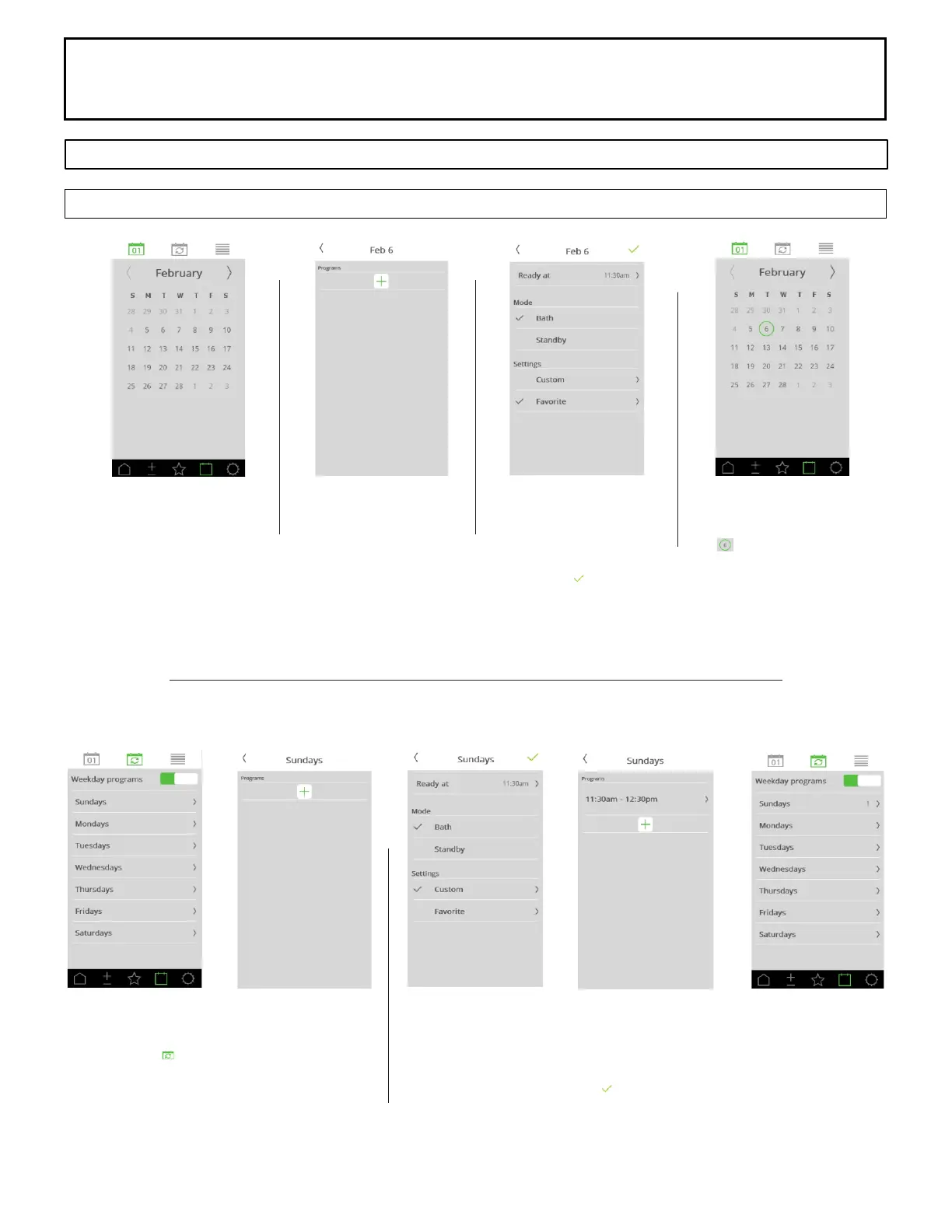
Adding Custom Event
Click the date for the event.
Adding Custom Event
Click the + to add event.
Adding Custom Event
Select the sauna duration
and temperatures.
Press the to accept
information.
Calendar Showing Event
Scheduled
The indicated a programs
is scheduled on the date.
Adding Recurring Event
Select the button at the top of screen
to chose Recurring Event
Click the day of the week for the event.
Select the + to add event.
Adding Recurring Event
Select the sauna duration and temperatures.
Press the to accept information.
Next screen will show 1 event created for the day of the week.



 To Next Page