ADVANCED FEATURES
CONTINUED
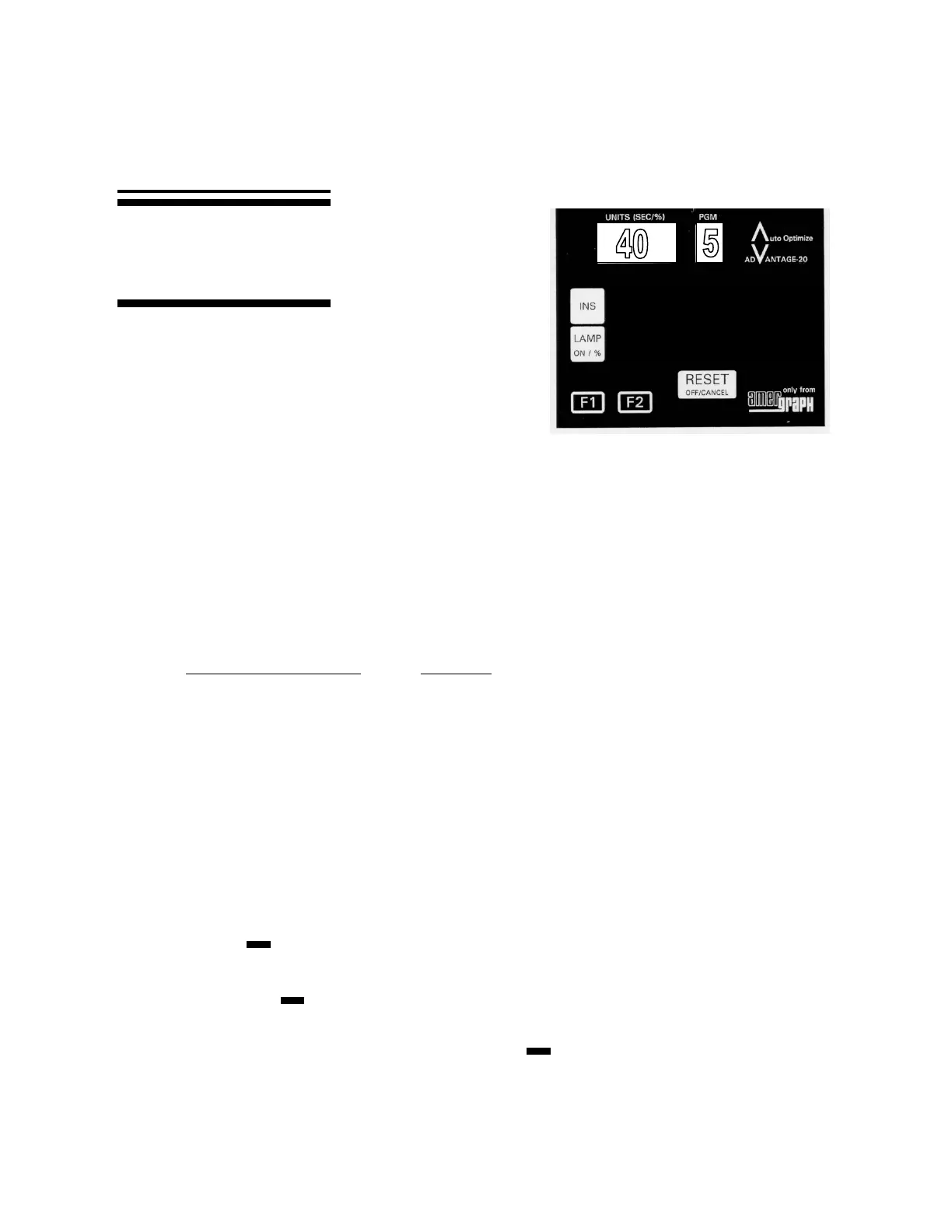
MAIN KEYS
MANUAL OPERATION: You may want to conduct
a one time exposure and not save your settings.
This function allows you to manually control the lamp
as the integrator counts exposure units for you.
Press ‘LAMP ON’ to turn the lamp on. The display counts up exposure units.
Press ‘RESET’ to turn the lamp off.
FUNCTION KEYS: F1 and F2. From the options shown below, you can choose which
Function the keys will perform. Once
selected, the key will act as a toggle switch
(on or off) in the selected program.
A. PROGRAM SYMBOL ACTION
G GO TO – Alternates with each push between the last
program used, and Program 5.
E Increases Exposure by 10% or compensates for an
additional film base with density of 0.04. The exposure
units on a current Program will be temporarily increased
by 10% for each push of the Function Key.
. (Period) Programs Exposure to tenths of a unit, or goes back to
normal units on the programs with a period following
the number.
De-activates the function key. (Do Nothing)
B. TO MAKE A FUNCTION KEY DO THE ACTION OF YOUR CHOICE,
(G, E, ·, or, ):
Scroll to the Program Symbol (G, E, ·, or ) you wish to have the function
key do.
Press the function key you wish to perform the action.
C. To perform the programmed function, scroll to the desired program and press the
function key you have selected. Then press ‘START’.
This page will show you how to
manually control the lamp and
how to define and use the
function keys, F1 and F2.


 To Next Page
 Loading...