EasyManua.ls Logo

American DJ Dekker LED - User Manual

American DJ Dekker LED
8 pages
Print Icon
To Next Page IconTo Next Page
Loading...
User Instructions
Dekker LED Introduction
©American DJ® - www.americandj.com - Dekker LED Instruction Manual Page 2
Rev. 5/12
Unpacking: Thank you for purchasing the Dekker LED by Ameri-
can DJ®. Every Dekker LED has been thoroughly tested and has been
shipped in perfect operating condition. Carefully check the shipping
carton for damage that may have occurred during shipping. If the
carton appears to be damaged, carefully inspect your xture for any
damage and be sure all accessories necessary to operate the unit has
arrived intact. In the case damage has been found or parts are miss-
ing, please contact our toll free customer support number for further
instructions. Do not return this unit to your dealer without rst contact-
ing customer support.
Introduction: The Dekker LED is part of American DJ’s continu-
ing pursuit for creating high quality affordable intelligent fixtures. The
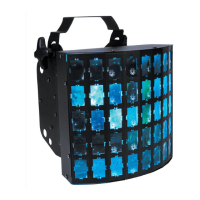
Dekker LED is a DMX intelligent LED mooflower effect. This xture
can be used in a stand alone mode or connected in a Master/Slave
conguration. The unit can also be controlled via DMX controller. This
wash has four operating modes: Sound Active mode, Auto mode,
Static mode, and DMX control mode.
Customer Support:
American DJ® provides a toll free customer support line, to provide set
up help and to answer any question should you encounter problems
during your set up or initial operation. You may also visit us on the web
at www.americandj.com for any comments or suggestions.
Service Hours are Monday through Friday 8:00 a.m. to 4:30 p.m.
Pacic Standard Time.
Voice: (800) 322-6337
Fax: (323) 582-2941
E-mail: support@americandj.com
To purchase parts online visit http://parts.americandj.com
Warning! To prevent or reduce the risk of electrical shock or re, do
not expose this unit to rain or moisture.
Caution! There are no user serviceable parts inside this unit. Do not
attempt any repairs yourself, doing so will void your manufactures war-
ranty. In the unlikely event your unit may require service please contact
American DJ.
PLEASE recycle the shipping carton when ever possible.
Question and Answer IconNeed help?

Do you have a question about the American DJ Dekker LED and is the answer not in the manual?

Summary

Dekker LED Introduction and Support

Unpacking and Initial Inspection

Guidance on carefully checking the shipping carton for damage and ensuring all parts are present.

Customer Support Contact Information

Contact details and service hours for toll-free customer support and website resources.

Dekker LED General Instructions, Features, and Safety

General Operating Instructions

Essential instructions for optimizing performance and familiarizing with basic unit operations.

Product Features Overview

Highlights key features of the Dekker LED, including technology, effects, and DMX capabilities.

Warranty Registration Process

Details on the three-year limited warranty and the procedure for validating the purchase.

Electrical Safety Precautions

Critical warnings to prevent electrical shock or fire, including exposure to moisture and proper wiring.

Dekker LED Setup and DMX Connectivity

Power Supply and Auto-Sensing

Information on the automatic voltage switch for universal power source compatibility.

DMX-512 Protocol and Linking

Explanation of DMX communication, linking fixtures, and data transmission via XLR terminals.

DMX Data Cable Requirements

Specifications for DMX-512 110 Ohm data cables and recommendations for making or purchasing them.

Dekker LED DMX Wiring and Configuration

XLR Pin Configuration Details

Diagrams and pinout details for 3-pin XLR connectors for DMX data transmission.

DMX Line Termination Best Practices

Guidance on using a terminator to prevent erratic behavior on longer DMX cable runs.

5-Pin to 3-Pin XLR DMX Adapters

Chart detailing cable conversion for using 5-pin DMX cables with 3-pin connections.

Dekker LED Operating Modes and Controls

LED Display On;Off Settings

Instructions for turning the LED display on/off and setting its behavior.

Master-Slave Operation Guide

How to link multiple units for synchronized operation, designating a master and slaves.

Dance Mode Program Selection

Selection of two distinct dance programs: fast and slow.

DMX Mode Setup and Operation

Enabling DMX control and selecting between 2-channel and 8-channel modes.

Dekker LED DMX Channel Mode Details

Program Adjustment and Speed Control

How to select and adjust programs and program speed using specific modes.

UC3 Controller Functions

Using the optional UC3 controller for various functions and static color selection.

2 Channel DMX Values and Traits

Detailed breakdown of DMX channel functions and value ranges for 2-channel mode.

Dekker LED Advanced DMX and Maintenance

8 Channel DMX Values and Traits

Detailed breakdown of DMX channel functions and value ranges for 8-channel mode.

Fuse Replacement and Troubleshooting

Instructions for fuse replacement and solutions for common operational problems.

Fixture Cleaning and Maintenance

Recommendations for cleaning the unit's optics, casing, and fan grill to maintain performance.

Dekker LED Warranty and Specifications

Manufacturers Limited Warranty Details

Terms and conditions of the limited warranty, including coverage periods and service procedures.

Dekker LED Technical Specifications

Product Technical Specifications Overview

Detailed specifications including LEDs, voltage, power consumption, dimensions, colors, weight, and DMX channels.

American DJ Dekker LED Specifications

Power IconPower
voltage100~240V 50Hz~60Hz
power consumption25W
fuse1 Amp
Lighting IconLighting
LEDs2 x 5W RGBW LEDs
colorsRGB + White
DMX channels2 Channel or 8 Channels
Weight and Dimensions IconWeight and Dimensions
weight8.5 lbs / 3.85 kgs
dimensions11” (L) x 9.8” (W) x 10.23” (H)

Related product manuals