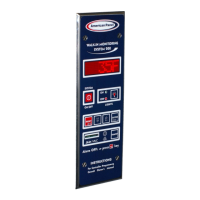
PROGRAMMING
9
4 Air Temperature Probe Offset
As standard, the air temperature probe is located on the door frame, inside the walk-in. The WIMS 100 will
display the air temperature at that particular location ONLY. However, WIMS 100 can be adjusted to estimate
the temperature of a remote location inside the walk-in.
4.1 Calculating the Probe Temperature Offset
Establish the location inside the walk-in where you want to monitor the air temperature. Ex: Return Air
Temperature (behind the evaporator)
Using a calibrated thermometer, measure the air temperature at that particular location. T
MEASURED
Read the air temperature on the display of WIMS 100. T
WIMS 100
The temperature difference between the two temperatures is the temperature offset. T
OFFSET
Ex: Return Air Temperature (measured behind the evaporator) 37
0
F
WIMS 100 Displayed Temperature 40
0
F
The Temperature Offset will be: (37
0
F) - (40
0
F) = -3
0
F
4.2 Adjust the Probe Temperature Offset
Make sure the controller is in “OFF” state.
If it is not, press and hold for 5 seconds.
The display will show:
Press and hold for ten seconds.
The display will show:
To enter the default access code, press the following buttons in order: .
When finished, press .
The display will show:
Press
or to change the displayed unit of temperature.
When finished, press .
The display will show:


 To Next Page
 Loading...