PROGRAMMING
4
3 Parameter Programming
All American Panel Corporation walk-in monitoring systems are programmed at the factory. The settings in this
manual are considered default for WIMS 100 and were established to suit generic walk-in operating
environments. However, the customer may change any of these settings as required.
Note: During the programming steps, any delay longer than one minute before pushing the next button will
cause the controller to revert to the “OFF” state. To avoid this, the following instructions should be carefully
reviewed and the desired settings should be determined before proceeding.
If the controller goes to the “OFF” state, the programming mode will have to be restarted.
Note: During programming, pressing and holding the UP or DOWN button will increase the programming
speed.
The instructions below contain screens with the exact messages displayed by the controller during the
programming procedure. Follow the notes located to the left of these screens.
Before entering the programming mode, the controller has to be in the “OFF” state.
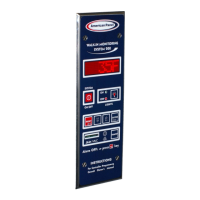
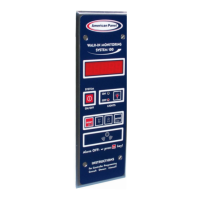
If it is not, press and hold for five seconds.
The display will show:
To enter the programming mode, press and hold for five seconds.
The display will show:
Enter The Access Code
To enter the default access code, press the following buttons in order:
.
When finished, press
.
Note: The access code is a safety feature that limits the access to the programming mode and therefore will
prevent unauthorized personnel from tampering with the settings.
The display will show:
After entering the code successfully, the controller will ask you if you want to change the code. To leave it
unchanged, press .
Note: If the code entered is not correct, the controller will display the error message and switch back to the
previous screen.


 To Next Page
 Loading...