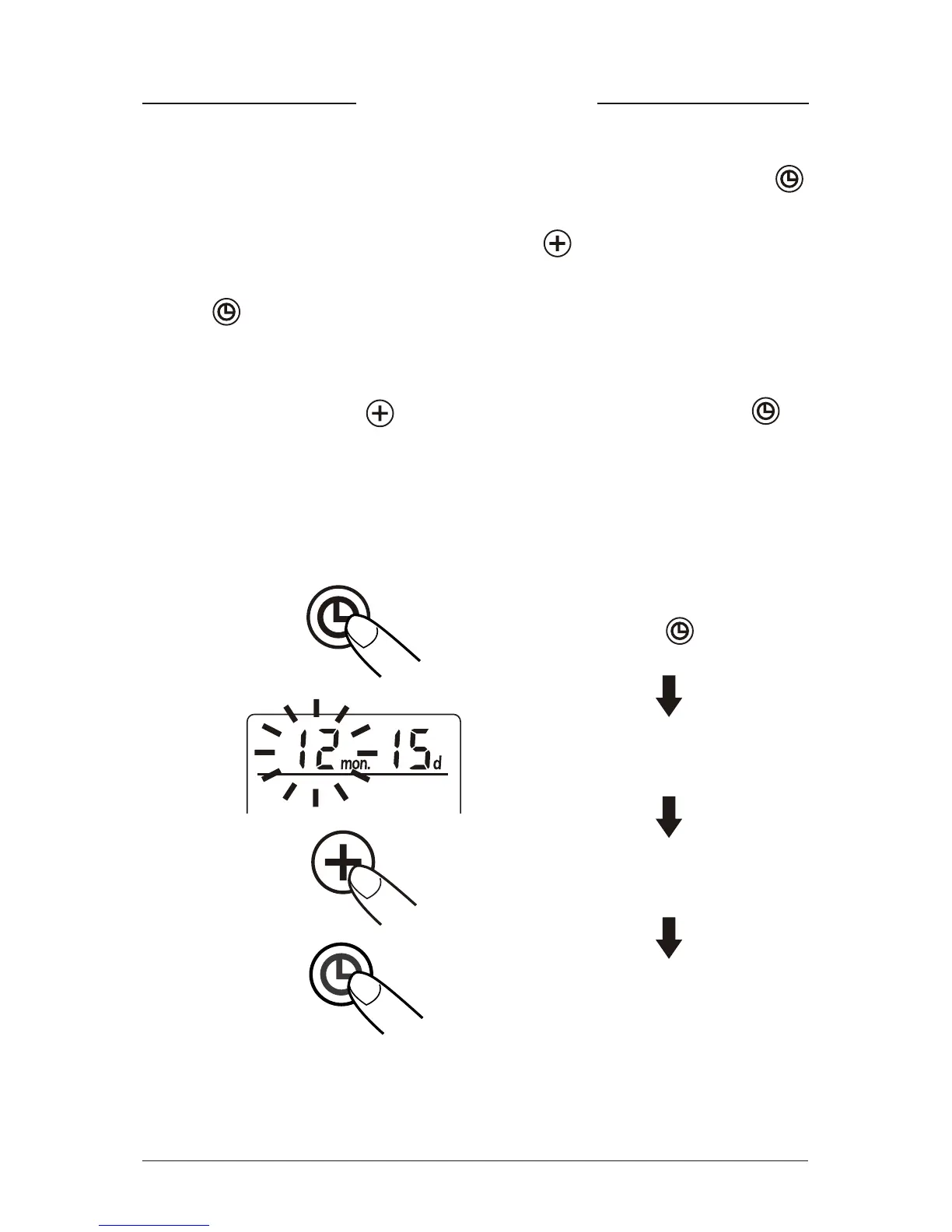
Time Adjustment
1. To adjust the date / time in the monitor, press the Set key .
The display will show a blinking number showing the month.
2. Change the month by pressing the “ ” Key. Each press will
increase the number by one in a cycling manner. Press the Set
Key again to confirm the entry, and the screen will show a
blinking number representing the date.
3. Change the date, the hour, and the minute as described in Step 2
above, using the “ ” Key to change and the Set Key to
confirm the entries.
4. A “0” will reappear as the Blood Pressure Monitor is ready for
measurement again.
Press the
blinking month
increasing month
confirm the entry
Set key
10


 To Next Page