55
6 Alarm
6.1 Alarm message
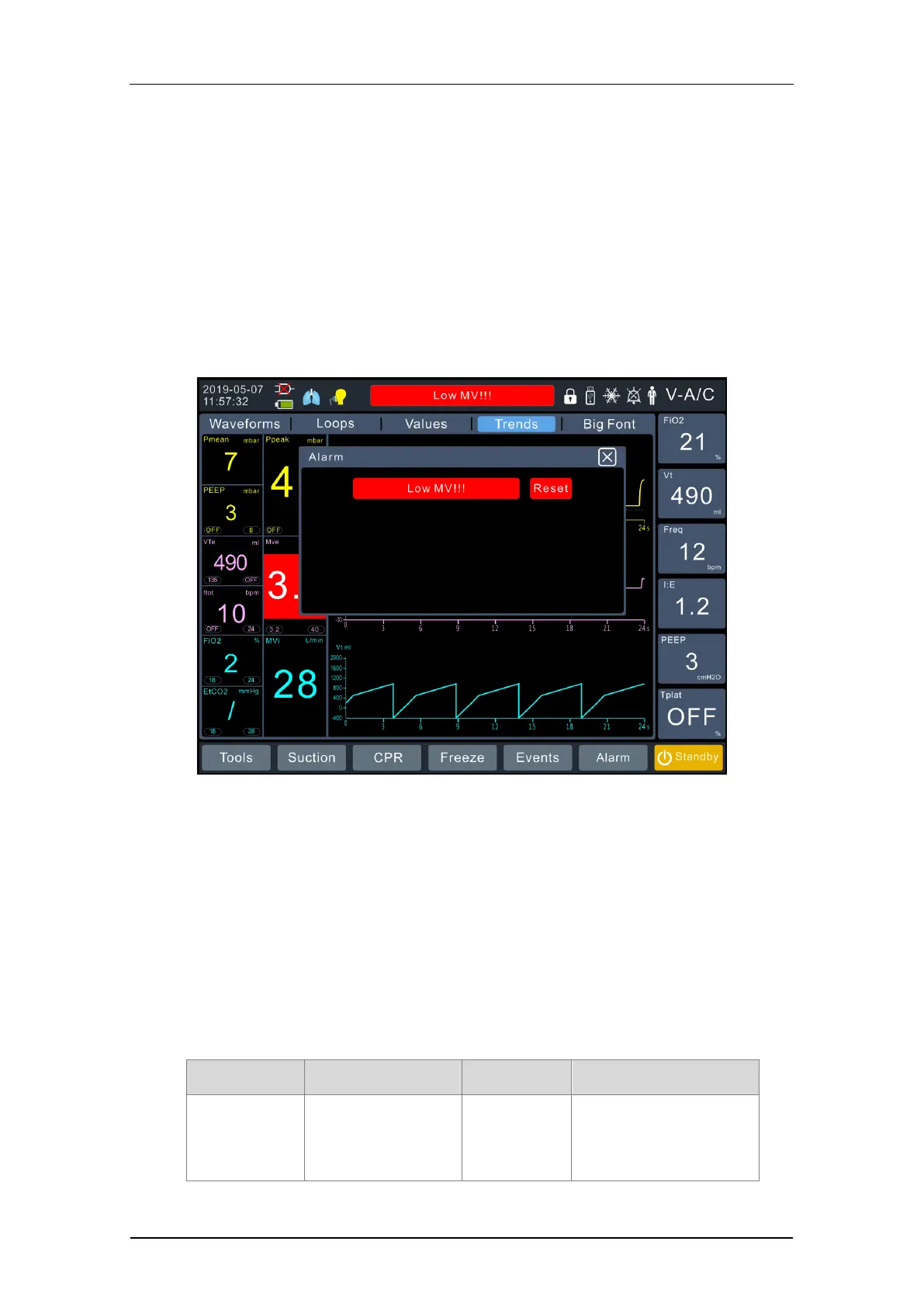
The alarm messages with the highest priority at present will be displayed in the
alarm prompt bar on the main interface. If there are multiple alarms, you can click
the alarm prompt message bar in the main interface, and the alarm message
interface will be brought up to view other alarm messages (as shown below).
Fig. 28 Alarm prompt
6.2 Alarm priority
Each alarm will correspond to a type of alarm priority, and a variety of alarm
phenomena may be produced. It can effectively alert medical staff when any
abnormal conditions occur. Exception handling shall be carried out to prevent the
occurrence of unexpected events. Description of the alarm function is detailed as
follows:
•
Priority:
High-priority
alarm
The alarm area on
the main interface
will turn red and
The red light
flashes
Flash
1. Five continuous
“beep--beep--beep----b
eep-beep-” sounds will


 To Next Page