EasyManua.ls Logo

Ampeak CGUFB2008 - User Manual

Ampeak CGUFB2008
17 pages
Print Icon
To Next Page IconTo Next Page
Loading...
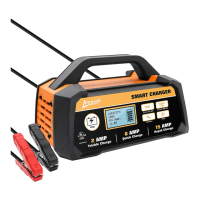
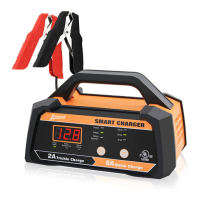
6V/12V 2A/8A
Smart Battery Charger
OWNER'S MANUAL

Questions and Answers

  • J
    Janet ThomasAug 5, 2025
    What to do if Ampeak Battery Charger is overheating?
    • A
      Ashlee Hayes DDSAug 5, 2025
      If your Ampeak Battery Charger is overheating, ensure that the vents are not blocked. The charger will automatically resume charging once it has cooled down.
  • J
    Jacob HamiltonAug 15, 2025
    Why Ampeak Battery Charger shows F02 error?
    • Z
      ztaylorAug 15, 2025
      The F02 error on your Ampeak Battery Charger indicates that the charging voltage is too high for the battery you are charging. To resolve this, verify the battery voltage and select the correct charging voltage on the charger.
  • E
    ebrownAug 25, 2025
    What to do if Ampeak Battery Charger shows F05 error?
    • J
      Jessica MaysAug 25, 2025
      The F05 error on your Ampeak Battery Charger can occur due to a couple of reasons: 1. The selected charging rate might be too low for a large battery. Try selecting a higher charging rate and recharge. 2. The battery's condition might be poor. Check the battery's condition and replace it if necessary.

Summary

Intended Use

Technical Specifications

Protection Features

Details safety mechanisms like Overheat and Reverse Polarity protection.

Important Safety Information

Risk of Explosive Gases, Electric Shock or Fire

Warns about the dangers associated with battery charging.

Work Area Safety

Guidelines for safe placement and ventilation of the charger.

Personal Safety Precautions

Advises on eye protection, handling battery acid, and removing metal objects.

Electrical Safety

Stresses proper grounding and avoiding damaged cords.

Main Parts of Product

Before Each Use

Crucial checks and preparations required before operating the charger.

Digital Display Window

Explains the function of the digital display for status and error codes.

Charging Status LED Indicator

Details the meaning of the LED indicators for charging status.

Current; Voltage; Battery Capacity% LEDs

Describes LEDs indicating selected display mode (Amp, Volt, Capacity%).

Display Selection Button

Explains how to toggle between different display modes.

Charging Rate Selection Button

How to select between 6V 2A, 12V 2A, and 12V 8A charging rates.

Charging Rate Indicators

Explains the LEDs that show the selected charging rate.

Battery Reconditioning Indicator

Indicates when the charger is in battery reconditioning mode.

Reverse Polarity Indicator

Shows a red light when cables are connected incorrectly.

Operating Instructions

Select Charging Rate

How to choose between automatic optimal and manual charging rates.

Battery Reconditioning

Explains the process for recovering deeply discharged batteries.

Charging Time

Factors affecting charging duration like battery state, rating, rate, and temperature.

Charging Display

How to read the digital display for current, voltage, and battery capacity.

Desulfation

Process for breaking down lead sulphate crystals in batteries.

7-Stage Charging Process

Details the seven stages of charging for 12V batteries.

3-Stage Charging Process

Details the three stages of charging for 6V batteries.

Maintenance

Troubleshooting

Error Code F01

Dead battery error and its solution.

Error Code F02

High charging voltage error and its solution.

Error Code F03

High charging current error and its solution.

Error Code F04

Charger overheating error and its solution.

Error Code F05

Overtime charging error and its solutions.

Ampeak CGUFB2008 Specifications

General IconGeneral
BrandAmpeak
ModelCGUFB2008
CategoryBattery Charger
LanguageEnglish

Related product manuals