Check CONNECTION PORT
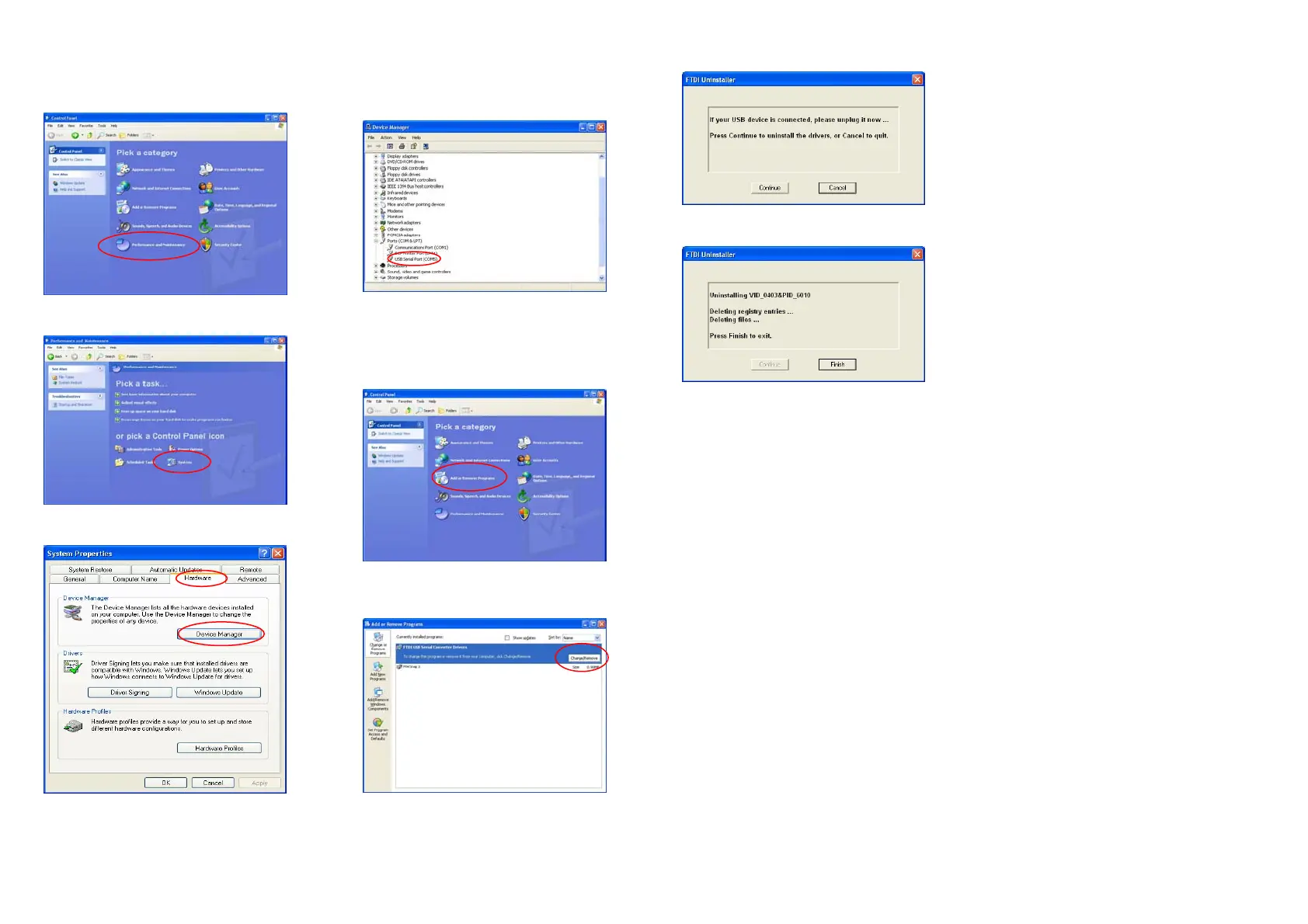
1. StartControl PanelPerformance and
Maintenance.
2. Select “System”.
3. Select “Hardware” Device Manager.
4. In this window, you see the number of the port
selected by system auto manically. You can
change it. Please write down the port number, it
will be needed for manual connection.
Uninstallation of USB Driver
1. StartSettingControl PanelAdd or Remove
ProgramsChange/Remove.
2. Select “FTDI USB Serial Converter Driv-
ers”Change/Remove.
3. Click “Continue”.
4. Click “Finish”.


 To Next Page