6. Quick Setup
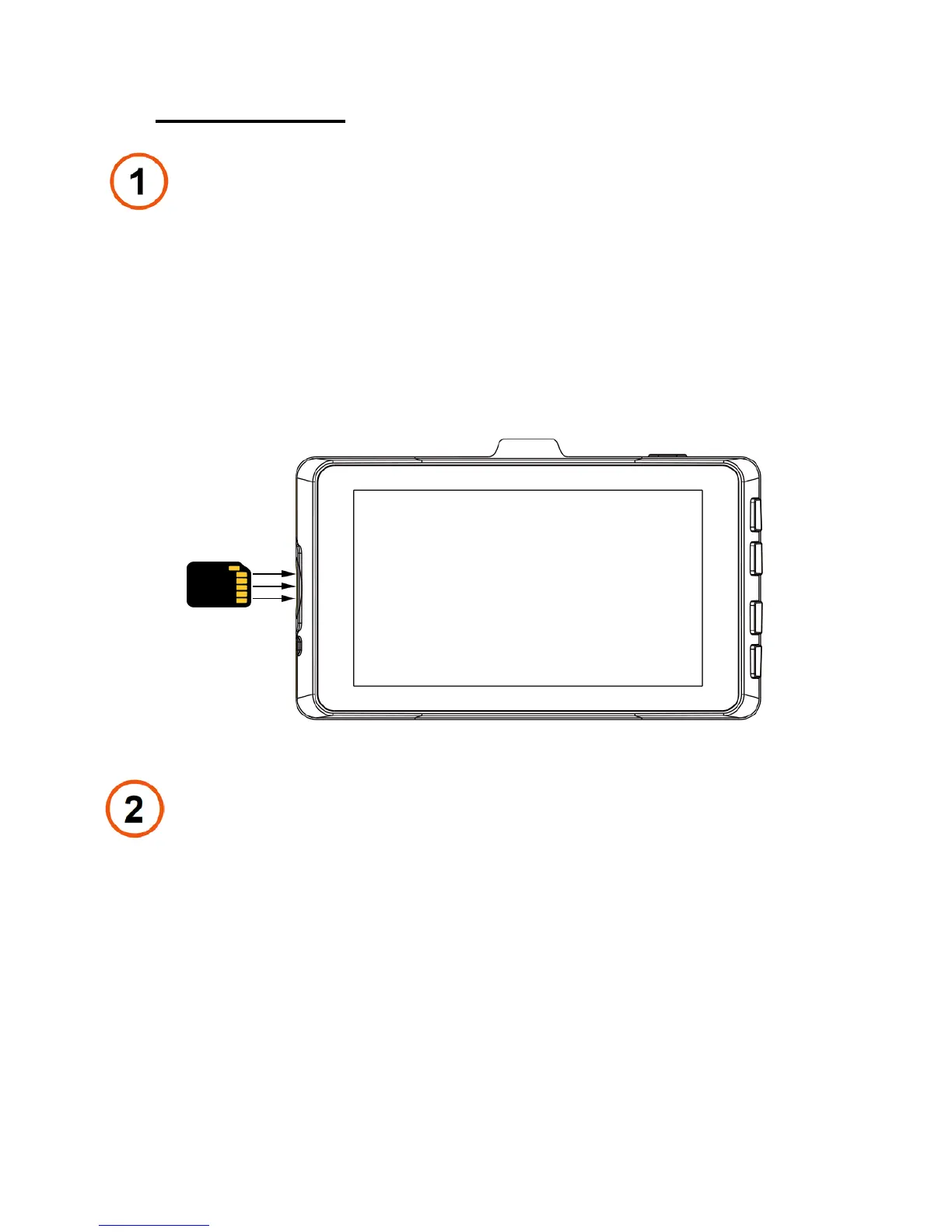
Insert Memory Card
Insert the class 10 Micro SD card in the correct direction
as shown following. Make sure you are facing the camera
screen and the side of memory card with metal, and push
the card until you hear a click sound.
Power
Plug one end of the supplied 12V Vehicle Power Adapter
into your vehicle’s cigarette lighter, and the other end into
the Micro USB port. The unit will automatically turn on and
start recording. To manually turn on the device, PRESS
AND HOLD the POWER button until the display activates.
- 9 -


 To Next Page